Chart position — tracked daily by LaunchShots
Screenshot style breakdown
Sampled from 4 of 掌上客如云's App Store screenshots — background, accent and theme, measured by LaunchShots (not something Apple publishes).
#FCFCFC bg
#DDDDDD
#44A4FC accent
#111111 text
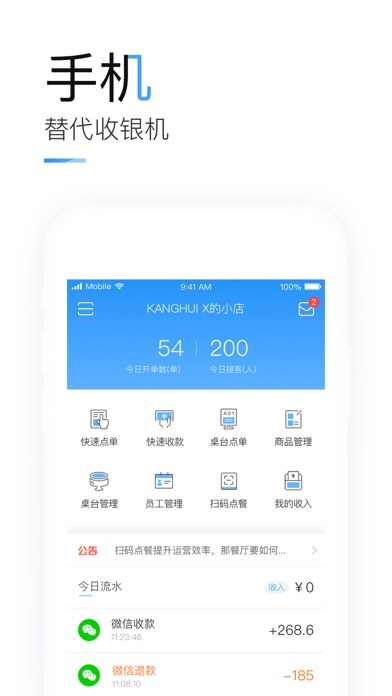
- #1桌 台 管理 员工 管理 扫 码 点 餐 我 的 收入 公告 。” 扫 码 点 餐 提升 运营 效率 , 那 餐厅 要 如 何 . >
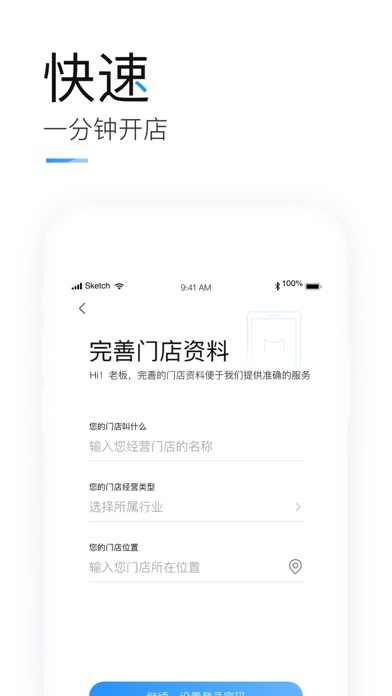
- #2选择 所 属 行业 > 您 的 门店 位 置 输入 您 门店 所 在 位 置 @
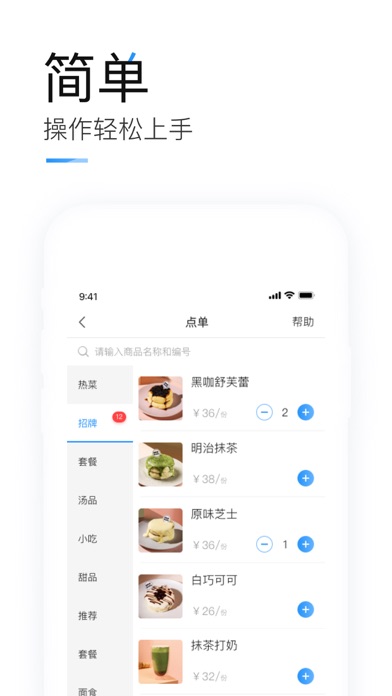
- #3汤 品 原味 芝士 HR Te 自 巧 可 可
Captions read from the screenshots (OCR, may contain small errors): 3 headlines, 19 words on average (longest 29).
Screenshots
Icon palette
About this app
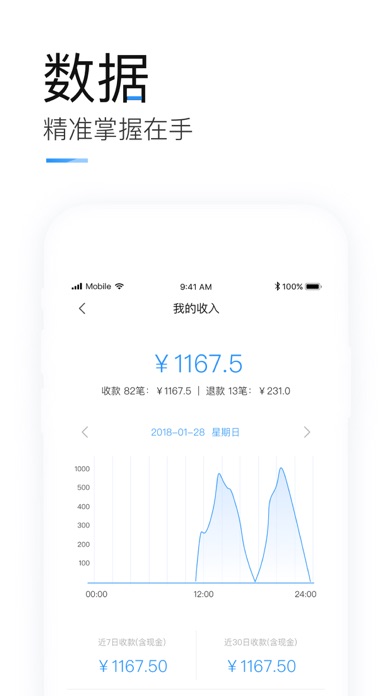
适合餐饮商户的智能店铺管理软件,是一款无硬件、免费智能的移动收银APP, 是量身为小微商户打造的0成本投入,快速上手的门店移动管理APP。 功能:管理桌台、扫码点餐、收银收款、数据报表、活动营销、门店管理、店员管理等。 【扫码点餐】 下载掌上客如云,上传店铺菜单生成桌台码,扫描二维码即可点菜,无需点菜宝节省人力,提高翻桌率,客人再也不用等了。 【手机替代收银机】 小店收银账目混乱,核对账目费力都可以通过掌上客如云解决,微信、支付宝、现金都可收款,。 【精准记账】 便捷记录饭店流水账、对账、统计门店营收、调整店内菜品、收款方式,对账统计等直观掌控门店动态,一手掌控门店各维度管理信息。 【轻松当店长】 掌上客如云不仅可满足多行业收银需求,还可分配员工账号,远程管理门店; 【适用行业】 连锁超市、咖啡馆、饮吧、小吃店、美容美甲、健身养生、宠物店、洗车养护、商务会所酒店宾馆等商户。
App details
What you can learn from 掌上客如云
Every shipping app on the App Store has gone through the same decisions you're working through right now: which screenshot goes first, what caption sits over it, which device frame to show, what color the background should be. The 4 screenshots above are 掌上客如云's answers to those questions — they're public, they're real, and they made it through Apple's review.
What the numbers say: 掌上客如云 runs a light set with one background colour (#FCFCFC) carried across every screenshot — the listing reads as a single poster when the shots sit side by side in search results. The accent colour we picked up, #44A4FC, is the one to reuse for badges, arrows and highlighted words if you borrow this look. Hit Use this style to open the editor with these exact colours and drop your own screenshot in.
Notice the first screenshot in particular. It's the one users see in search results and on the product page, and it's where most apps spend their best caption and tightest design. Look at the proportion of background to phone, where the text sits, what one thing the image is trying to communicate.
Want to see how other Business apps approach the same problem? Browse more Business apps in the showcase.
Take what works into your own screenshots
Open LaunchShots and design your App Store & Google Play screenshots — pick a device frame, drop captions, ship in minutes. Free, in your browser.
Open the screenshot editor →Apps with a similar look
Closest background + accent colours among the listings we've analysed — useful when you want to see the same palette handled by a different team.