Chart position — tracked daily by LaunchShots
Screenshot style breakdown
Sampled from 5 of 植物识别-拍照识花草树木神器's App Store screenshots — background, accent and theme, measured by LaunchShots (not something Apple publishes).
#8CD404 bg
#7BBA03
#CCEC94 accent
#111111 text
Screenshots


Icon palette
About this app
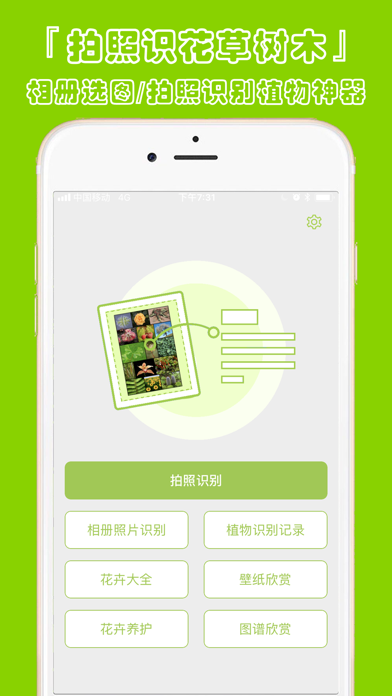
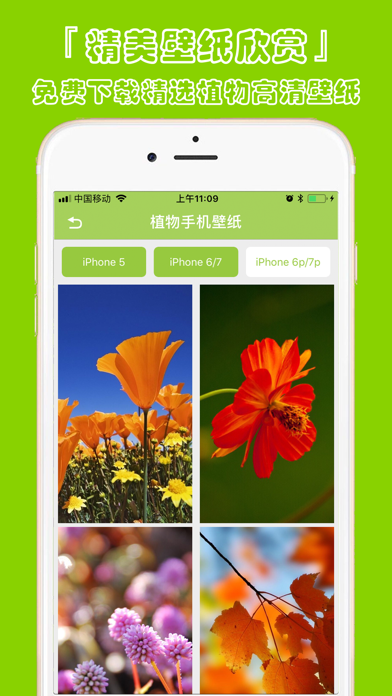
植物识别,基于人工智能的快速精准识别花草树木神器APP! 只需拍摄或选取手机中的植物图片,即可快速识别植物,带你探索未知! 【功能介绍】 拍照识别:打开应用并拍照,即可快速识别植物。 相片识别:将手机相册里的植物图片导入本应用,即可快速识别植物。 识别记录:自动保存识别记录,便捷查看了解植物,备份植物新知。 植物百科:花草树木百科详解,了解植物的基本资料、养护、寓意。 植物壁纸:植物手机壁纸欣赏和免费下载,绿色护眼和各种花美美的。 花卉大全:整理草本、木本、藤本、水生、兰科、球根、宿根花卉大全。 花卉养护:家庭养花、养花知识、水培花卉、盆景制作、花与健康。 图谱欣赏:观花植物、多肉植物、兰科植物、菊科植物、盆景等介绍。 分 享:分享植物图片到微信好友、朋友圈、QQ、QQ空间、微博等。 【联系我们】 我们每一次的进步,都离不开您的关注和支持,非常期待您反馈使用中的任何不爽和建议 ! 邮箱: bzq1@qq.com
App details
What you can learn from 植物识别-拍照识花草树木神器
Every shipping app on the App Store has gone through the same decisions you're working through right now: which screenshot goes first, what caption sits over it, which device frame to show, what color the background should be. The 5 screenshots above are 植物识别-拍照识花草树木神器's answers to those questions — they're public, they're real, and they made it through Apple's review.
What the numbers say: 植物识别-拍照识花草树木神器 runs a light set with one background colour (#8CD404) carried across every screenshot — the listing reads as a single poster when the shots sit side by side in search results. The accent colour we picked up, #CCEC94, is the one to reuse for badges, arrows and highlighted words if you borrow this look. Hit Use this style to open the editor with these exact colours and drop your own screenshot in.
Notice the first screenshot in particular. It's the one users see in search results and on the product page, and it's where most apps spend their best caption and tightest design. Look at the proportion of background to phone, where the text sits, what one thing the image is trying to communicate.
Want to see how other Reference apps approach the same problem? Browse more Reference apps in the showcase.
Take what works into your own screenshots
Open LaunchShots and design your App Store & Google Play screenshots — pick a device frame, drop captions, ship in minutes. Free, in your browser.
Open the screenshot editor →Apps with a similar look
Closest background + accent colours among the listings we've analysed — useful when you want to see the same palette handled by a different team.