Screenshot changes — detected by LaunchShots
Screenshot style breakdown
Sampled from 6 of تمام لوحة المفاتيح العربية's App Store screenshots — background, accent and theme, measured by LaunchShots (not something Apple publishes).
#04D4B4 bg
#03BA9E
#04544C accent
#111111 text
Screenshots



iPad screenshots



Icon palette
About this app
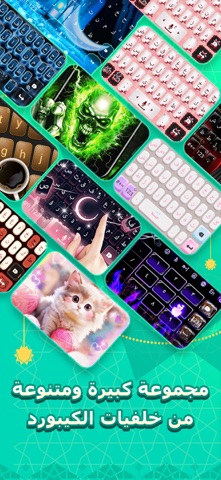
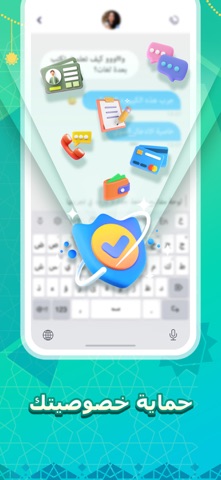
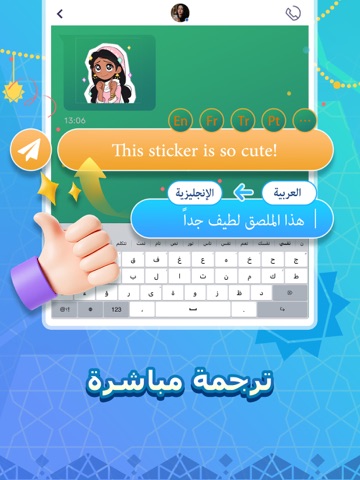
تُعد لوحة مفاتيح تمام الحل الذكي والمتكامل للمستخدم العربي، حيث تدمج بين دقة الكتابة وسرعة التواصل في تصميم عصري واحد. يوفر التطبيق تجربة كتابة متطورة تعتمد على تقنيات التنبؤ الذكي، مما يضمن سلاسة فائقة في المراسلة اليومية، يتميز التطبيق بتصميم عصري بمكتبة إبداعية ضخمة تشمل خلفيات متنوعة ومئات الملصقات التعبيرية والخطوط المزخرفة، بالإضافة إلى حزمة حصرية من الصور المتحركة (GIFs) المستوحاة من الثقافة ومشاهير العالم العربي. لماذا "تمام"؟ لأنها تجمع بين المحتوى الغني من ملصقات وإيموجي، وبين الكفاءة التقنية التي تسهل التواصل مع الآخرين بأسلوب راقٍ ومنظم. باقة 30 يوماً: استمتع بتجربة كاملة لمدة 30 يوماً مقابل 1.19 دولار فقط، بدون تجديد تلقائي عند الانتهاء. اشتراك ربع سنوي (3 أشهر): استمتع باشتراك 3 أشهر مقابل 2.99$ USD فقط مع تجربة شاملة، تجديد تلقائي وحرية الإلغاء في أي وقت. اشتراك سنوي (1 سنة): استمتع باشتراك سنة كاملة مقابل 9.99$ USD فقط مع تجربة شاملة، تجديد تلقائي وحرية الإلغاء في أي…
App details
What you can learn from تمام لوحة المفاتيح العربية
Every shipping app on the App Store has gone through the same decisions you're working through right now: which screenshot goes first, what caption sits over it, which device frame to show, what color the background should be. The 16 screenshots above are تمام لوحة المفاتيح العربية's answers to those questions — they're public, they're real, and they made it through Apple's review.
What the numbers say: تمام لوحة المفاتيح العربية runs a light set where the background shifts from screenshot to screenshot (first shot #04D4B4) — each image has to stand on its own, so the captions carry more of the story. The accent colour we picked up, #04544C, is the one to reuse for badges, arrows and highlighted words if you borrow this look. Hit Use this style to open the editor with these exact colours and drop your own screenshot in.
Notice the first screenshot in particular. It's the one users see in search results and on the product page, and it's where most apps spend their best caption and tightest design. Look at the proportion of background to phone, where the text sits, what one thing the image is trying to communicate.
Want to see how other Utilities apps approach the same problem? Browse more Utilities apps in the showcase.
Take what works into your own screenshots
Open LaunchShots and design your App Store & Google Play screenshots — pick a device frame, drop captions, ship in minutes. Free, in your browser.
Open the screenshot editor →Apps with a similar look
Closest background + accent colours among the listings we've analysed — useful when you want to see the same palette handled by a different team.