Screenshot style breakdown
Sampled from 3 of 縦式 - 縦書き入力's App Store screenshots — background, accent and theme, measured by LaunchShots (not something Apple publishes).
#242424 bg
#424242
#FFFFFF accent
#FFFFFF text
Reading the caption text from the screenshots in your browser…
Screenshots

iPad screenshots


Icon palette
About this app
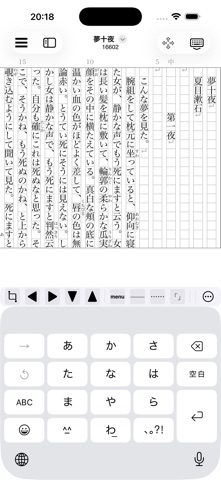
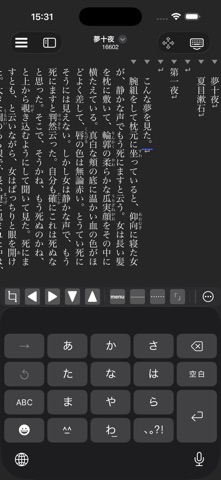
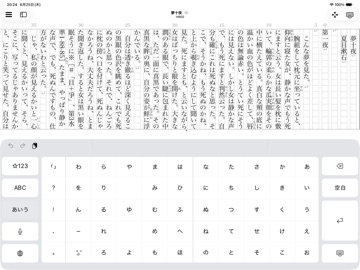
縦式はシンプルな縦書きのテキストエディタです。小説や作文、レポート書きにお使いください。 主な特徴: - ルビ、傍点、縦中横、見出し、改ページ、センター寄せに対応。(青空文庫形式) - PDF出力 (A4原稿用紙、A4用紙、A5用紙、A6用紙、B5用紙、B6用紙、B40新書判、四六判、8P折り本A3用紙、8P折り本A4用紙)に対応。 - 入力アシスト機能。 - ダークテーマ。 - iCloud Drive対応。 - フォントのインストール。 - Unicode入力 - 異体字入力 - 1頁か1段サイズの挿絵に対応。 - アウトラインモード。 - 横書きにも対応。 - 8P折り本にも対応。 - ドロップキャップにも対応。 ルビ、傍点、縦中横について: ルビ、傍点の設定は対象の文字列を選択してメニューから行います。 縦中横は半角アルファベット、数字、記号の文字列を選択してメニューから行います。 (注)ルビ、傍点は14文字、縦中横は4文字まで対応しています。 「あ」や「ん」に濁点「゛」を打つ方法: 縦中横で「あ」や「ん」などのひらがな、カタカナに濁点「゛」を打てます。濁点の打ち方は「あ…
App details
What you can learn from 縦式 - 縦書き入力
Every shipping app on the App Store has gone through the same decisions you're working through right now: which screenshot goes first, what caption sits over it, which device frame to show, what color the background should be. The 6 screenshots above are 縦式 - 縦書き入力's answers to those questions — they're public, they're real, and they made it through Apple's review.
What the numbers say: 縦式 - 縦書き入力 runs a mixed light-and-dark set where the background shifts from screenshot to screenshot (first shot #242424) — each image has to stand on its own, so the captions carry more of the story. Hit Use this style to open the editor with these exact colours and drop your own screenshot in.
Notice the first screenshot in particular. It's the one users see in search results and on the product page, and it's where most apps spend their best caption and tightest design. Look at the proportion of background to phone, where the text sits, what one thing the image is trying to communicate.
Want to see how other Productivity apps approach the same problem? Browse more Productivity apps in the showcase.
Take what works into your own screenshots
Open LaunchShots and design your App Store & Google Play screenshots — pick a device frame, drop captions, ship in minutes. Free, in your browser.
Open the screenshot editor →Apps with a similar look
Closest background + accent colours among the listings we've analysed — useful when you want to see the same palette handled by a different team.