Chart position — tracked daily by LaunchShots
Screenshot changes — detected by LaunchShots
Screenshot style breakdown
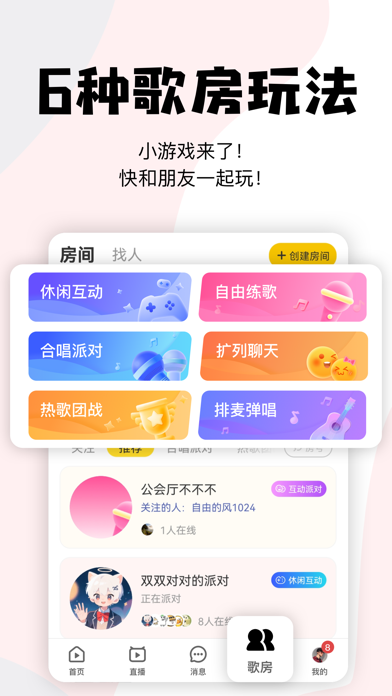
Sampled from 6 of 唱鸭-弹唱说唱's App Store screenshots — background, accent and theme, measured by LaunchShots (not something Apple publishes).
#FCFCFC bg
#DDDDDD
#F4C404 accent
#111111 text
Reading the caption text from the screenshots in your browser…
Screenshots



Icon palette
About this app
唱鸭,一个从弹唱作品开始的音乐同频社区! 唱自己的歌,遇同频的人。 在唱鸭,音乐不只是用来听的,也可以是你的自我介绍。 你可以听见别人唱出的心情,也可以用自己的弹唱作品被同频的人发现。不会乐器、不懂乐理也没关系,跟着提示唱,跟着感觉玩,每个人都能拥有自己的音乐表达。 ——— 先听见,再靠近 ——— 【从作品开始认识】 别急着尬聊,先听TA唱过什么。 一首弹唱、一次循环、一个表态,都可能是“我们有点对味”的信号。听到上头就戳一下,认识新朋友也可以很轻松。 【心情有人接住】 开心、emo、上头、想安静……不同状态,都能刷到适合此刻心情的弹唱作品。 听到某一句刚好唱中你,不用憋长评,点个表态,也算把“我懂”说出口。 【同频不只看脸】 动物人格、心情状态、兴趣标签、作品偏好,都可以成为了解彼此的线索。 不晒脸、不硬聊,也能找到和你合拍的人。 ——— 想唱就唱,想创作就创作 ——— 【不会乐器也能弹唱】 歌词走到哪,提示就跟到哪。 看着按、跟着唱,不会吉他也能完成自己的弹唱作品;还能添加鼓点、和声、音效、旋律,让…
App details
What you can learn from 唱鸭-弹唱说唱
Every shipping app on the App Store has gone through the same decisions you're working through right now: which screenshot goes first, what caption sits over it, which device frame to show, what color the background should be. The 6 screenshots above are 唱鸭-弹唱说唱's answers to those questions — they're public, they're real, and they made it through Apple's review.
What the numbers say: 唱鸭-弹唱说唱 runs a light set with one background colour (#FCFCFC) carried across every screenshot — the listing reads as a single poster when the shots sit side by side in search results. The accent colour we picked up, #F4C404, is the one to reuse for badges, arrows and highlighted words if you borrow this look. Hit Use this style to open the editor with these exact colours and drop your own screenshot in.
Notice the first screenshot in particular. It's the one users see in search results and on the product page, and it's where most apps spend their best caption and tightest design. Look at the proportion of background to phone, where the text sits, what one thing the image is trying to communicate.
Want to see how other Music apps approach the same problem? Browse more Music apps in the showcase.
Take what works into your own screenshots
Open LaunchShots and design your App Store & Google Play screenshots — pick a device frame, drop captions, ship in minutes. Free, in your browser.
Open the screenshot editor →Apps with a similar look
Closest background + accent colours among the listings we've analysed — useful when you want to see the same palette handled by a different team.