Screenshot changes — detected by LaunchShots
Screenshot style breakdown
Sampled from 6 of Родительский Контроль・Локатор's App Store screenshots — background, accent and theme, measured by LaunchShots (not something Apple publishes).
#FCFCFC bg
#DDDDDD
#FC345C accent
#111111 text
Reading the caption text from the screenshots in your browser…
Screenshots




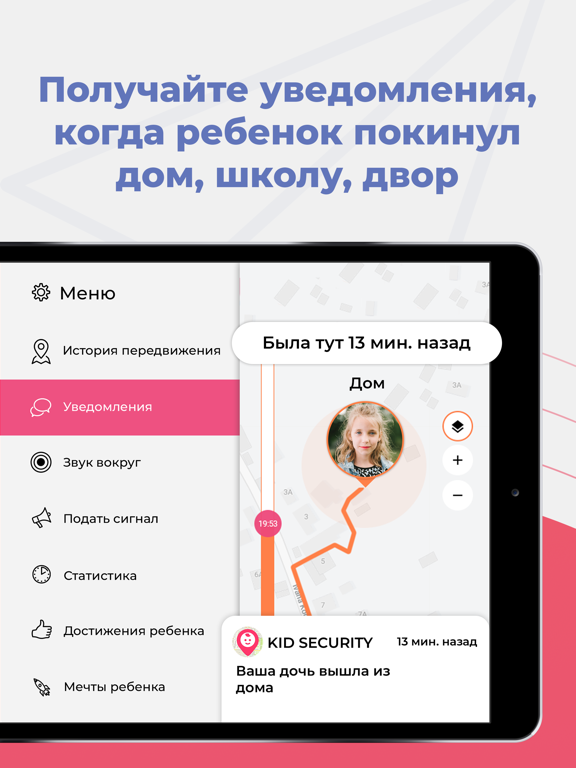
iPad screenshots



Icon palette
About this app
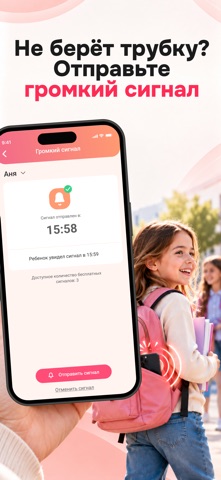
Kid Security - это приложение для родительского контроля, которое покажет вам, где ваш ребенок прямо сейчас! Начните использовать Kid Security, загрузив приложение “Tigro chat” для IOS или “Tigrow” на телефон вашего ребенка. ФУНКЦИИ KID SECURITY: СЕМЕЙНЫЙ GPS ТРЕКЕР GPS tracker и навигация. Если Вы часто задаете себе вопрос - “где мои дети?”, то наше приложение для Вас! Скачав его, Вы сможете узнать, где находятся ваши дети прямо сейчас, не беспокоя их звонками. МОНИТОРИНГ МЕСТОПОЛОЖЕНИЯ РЕБЕНКА Позволяет назначать точки непосредственно на карте: "Школа", "Дом", "Бассеин" и т. Д. И получать уведомления, когда ребенок покидает или приходит в указанные места. ИСТОРИЯ ПЕРЕМЕЩЕНИЙ Геолокация вашего ребенка у вас перед глазами! Вы можете найти и отследить телефон, узнать местоположение и понять, где ваш ребенок был в течение дня. ЗВУКИ ВОКРУГ ТЕЛЕФОНА Функция дает возмож…
App details
What you can learn from Родительский Контроль・Локатор
Every shipping app on the App Store has gone through the same decisions you're working through right now: which screenshot goes first, what caption sits over it, which device frame to show, what color the background should be. The 14 screenshots above are Родительский Контроль・Локатор's answers to those questions — they're public, they're real, and they made it through Apple's review.
What the numbers say: Родительский Контроль・Локатор runs a mixed light-and-dark set where the background shifts from screenshot to screenshot (first shot #FCFCFC) — each image has to stand on its own, so the captions carry more of the story. The accent colour we picked up, #FC345C, is the one to reuse for badges, arrows and highlighted words if you borrow this look. Hit Use this style to open the editor with these exact colours and drop your own screenshot in.
Notice the first screenshot in particular. It's the one users see in search results and on the product page, and it's where most apps spend their best caption and tightest design. Look at the proportion of background to phone, where the text sits, what one thing the image is trying to communicate.
Want to see how other Lifestyle apps approach the same problem? Browse more Lifestyle apps in the showcase.
Take what works into your own screenshots
Open LaunchShots and design your App Store & Google Play screenshots — pick a device frame, drop captions, ship in minutes. Free, in your browser.
Open the screenshot editor →Apps with a similar look
Closest background + accent colours among the listings we've analysed — useful when you want to see the same palette handled by a different team.