Chart position — tracked daily by LaunchShots
Screenshot style breakdown
Sampled from 6 of 中语智汇's App Store screenshots — background, accent and theme, measured by LaunchShots (not something Apple publishes).
#F4F4FC bg
#D6D6DD
#0494FC accent
#111111 text
Reading the caption text from the screenshots in your browser…
Screenshots


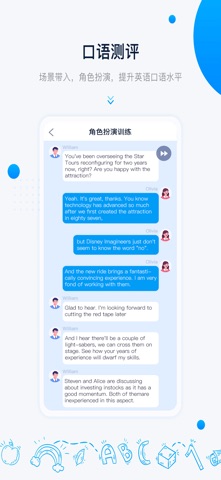


iPad screenshots


Icon palette
About this app
中语智慧教学平台基于云计算、人工智能、大数据、虚拟现实等新一代信息技术,提供语言运用能力训练、外语专业实践能力提升、外语智慧教学资源库、外语教学大数据智能分析、外语虚拟仿真实验教学、外语创新教学、外语智能动态考试测评和外语能力竞赛等相关产品与服务。平台以外语综合运用能力为目标,以实践能力培养为核心,是涵盖“英语口语智能训练、英语写作、商务英语视听说、综合商务英语、国际商务谈判、商务日语、商务俄语”等数十门课程的外语智慧教学云平台。
App details
What you can learn from 中语智汇
Every shipping app on the App Store has gone through the same decisions you're working through right now: which screenshot goes first, what caption sits over it, which device frame to show, what color the background should be. The 11 screenshots above are 中语智汇's answers to those questions — they're public, they're real, and they made it through Apple's review.
What the numbers say: 中语智汇 runs a light set with one background colour (#F4F4FC) carried across every screenshot — the listing reads as a single poster when the shots sit side by side in search results. The accent colour we picked up, #0494FC, is the one to reuse for badges, arrows and highlighted words if you borrow this look. Hit Use this style to open the editor with these exact colours and drop your own screenshot in.
Notice the first screenshot in particular. It's the one users see in search results and on the product page, and it's where most apps spend their best caption and tightest design. Look at the proportion of background to phone, where the text sits, what one thing the image is trying to communicate.
Want to see how other Education apps approach the same problem? Browse more Education apps in the showcase.
Take what works into your own screenshots
Open LaunchShots and design your App Store & Google Play screenshots — pick a device frame, drop captions, ship in minutes. Free, in your browser.
Open the screenshot editor →Apps with a similar look
Closest background + accent colours among the listings we've analysed — useful when you want to see the same palette handled by a different team.