Chart position — tracked daily by LaunchShots
Screenshot style breakdown
Sampled from 6 of 毎日まめ - 一日を記録する最も簡単な日記's App Store screenshots — background, accent and theme, measured by LaunchShots (not something Apple publishes).
#ACD47C bg
#97BA6D
#64A44C accent
#111111 text
Reading the caption text from the screenshots in your browser…
Screenshots


iPad screenshots




Icon palette
About this app
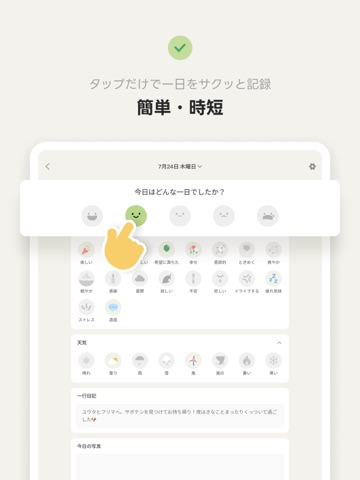
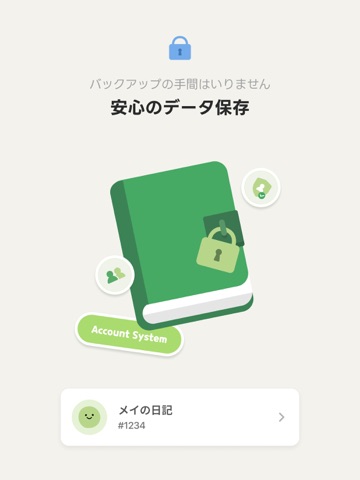
日常を手軽に残したい人のために作った簡単な日記アプリ、毎日まめで数回のタップだけで一日を地道に記録してみましょう。 毎日まめはこんな機能を提供します。 ○ 自分の気分の流れを一目で見られる月別カレンダー 5つの色と表情の気分まめでひと月の自分の気分を一目で見てみましょう。まめをクリックすると、その日に残した記録をすぐに確認できます。 ○ 気分まめと活動アイコンをタップして簡単に記録する一日 気分まめで今日一日の自分の気分を選択した後、カラフルなアイコンで今日一日を要約してみましょう。写真一枚と一行メモも追加できます。 ○ 好きなカテゴリーだけを選べる記録ブロック ブロックは好きな時にいつでも追加または削除でき、カテゴリーは持続的にアップデートする予定です。 ○ 週/月単位で気分と活動を分析する統計 統計により自分の気分の流れをチェックして、気分に影響を与える活動が何なのか確認してみましょう。週単位、月単位で活動別記録回数もチェックできます。 アプリを使用しながら気になることや不便なことがある場合は、…
App details
What you can learn from 毎日まめ - 一日を記録する最も簡単な日記
Every shipping app on the App Store has gone through the same decisions you're working through right now: which screenshot goes first, what caption sits over it, which device frame to show, what color the background should be. The 16 screenshots above are 毎日まめ - 一日を記録する最も簡単な日記's answers to those questions — they're public, they're real, and they made it through Apple's review.
What the numbers say: 毎日まめ - 一日を記録する最も簡単な日記 runs a light set where the background shifts from screenshot to screenshot (first shot #ACD47C) — each image has to stand on its own, so the captions carry more of the story. The accent colour we picked up, #64A44C, is the one to reuse for badges, arrows and highlighted words if you borrow this look. Hit Use this style to open the editor with these exact colours and drop your own screenshot in.
Notice the first screenshot in particular. It's the one users see in search results and on the product page, and it's where most apps spend their best caption and tightest design. Look at the proportion of background to phone, where the text sits, what one thing the image is trying to communicate.
Want to see how other Lifestyle apps approach the same problem? Browse more Lifestyle apps in the showcase.
Take what works into your own screenshots
Open LaunchShots and design your App Store & Google Play screenshots — pick a device frame, drop captions, ship in minutes. Free, in your browser.
Open the screenshot editor →Apps with a similar look
Closest background + accent colours among the listings we've analysed — useful when you want to see the same palette handled by a different team.