Screenshots

Icon palette
About this app
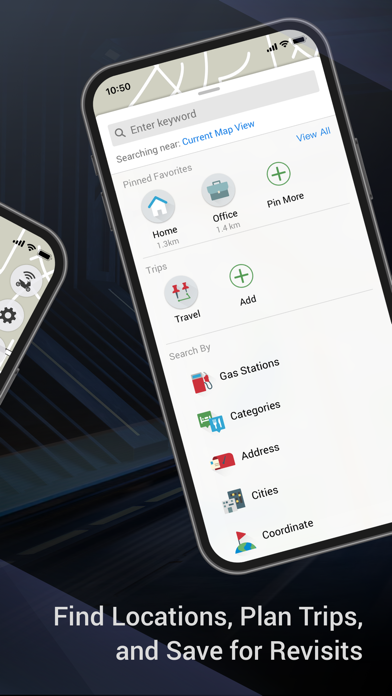
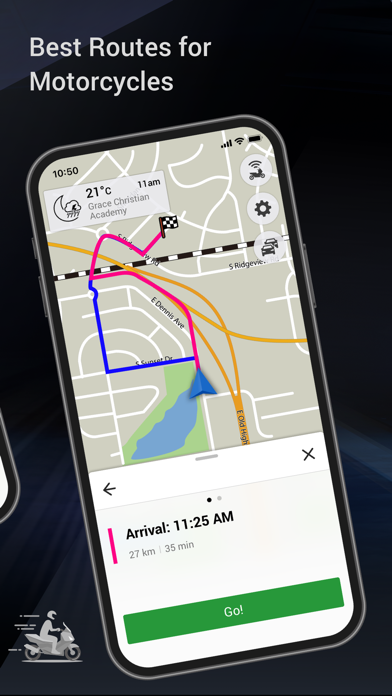
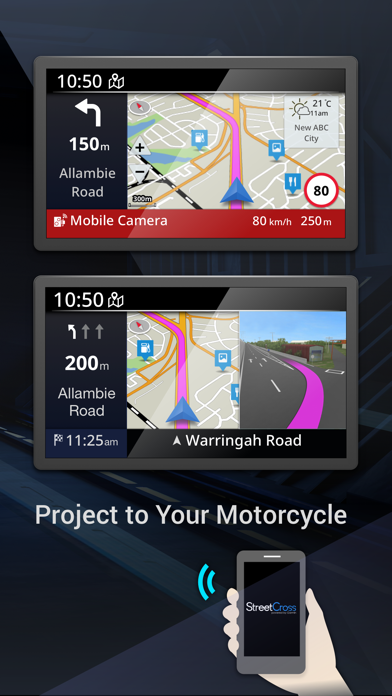
Garmin StreetCross is a navigation app specifically designed for motorcycles. This app will only work in combination with the compatible models below. To see if your YAMAHA motorcycle is compatible with the app, please refer to the owner's manual or the product information page for your model. The navigation operations can be done via the motorcycle handlebar during the ride. Download maps into your smartphone, enjoy best-ever riding NOW! Key Features Garmin Real Directions Get spoken turn-by-turn directions through your connected helmet or headset. Meanwhile, navigation features are projected to the motorcycle meter panel when your smartphone is connected to the motorcycle via Bluetooth®. Live Traffic Avoid traffic delays, and find time-saving detours to help keep you on your way with live traffic updates. PhotoReal Junction View It displays the appropriate lane to drive in durin…
App details
What you can learn from Garmin StreetCross
Every shipping app on the App Store has gone through the same decisions you're working through right now: which screenshot goes first, what caption sits over it, which device frame to show, what color the background should be. The 4 screenshots above are Garmin StreetCross's answers to those questions — they're public, they're real, and they made it through Apple's review.
Notice the first screenshot in particular. It's the one users see in search results and on the product page, and it's where most apps spend their best caption and tightest design. Look at the proportion of background to phone, where the text sits, what one thing the image is trying to communicate.
Want to see how other Navigation apps approach the same problem? Browse more Navigation apps in the showcase.
Take what works into your own screenshots
Open LaunchShots and design your App Store & Google Play screenshots — pick a device frame, drop captions, ship in minutes. Free, in your browser.
Open the screenshot editor →