Chart position — tracked daily by LaunchShots
Screenshot style breakdown
Sampled from 6 of CubeTime's App Store screenshots — background, accent and theme, measured by LaunchShots (not something Apple publishes).
#8CACFC bg
#7B97DD
#446CEC accent
#111111 text
Reading the caption text from the screenshots in your browser…
Screenshots


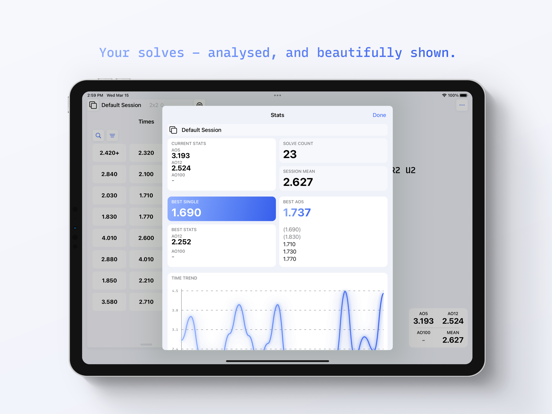
iPad screenshots




Icon palette
About this app
The most advanced speedcubing utility app ever created, all packaged within an incredibly minimal and modern interface. CubeTime is currently the only iOS app that uses the official WCA scrambler. No more illegal or invalid scrambles! This includes WCA-complient random state 4x4 scrambles and rotations for blind scrambles. Not only do we have well-refined session support, we also have different session types, suiting all your solving needs. Special sessions include multiphase – where you can time phases during solves, and comp sim – where you can simulate competitions at home. Aside from showing you basic statistics, we provide detailed (and of course - beautiful) graphs and visuals, to allow you to gain a better understanding of your solving performance. We also provide you tools, all within one app – so don't need to clutter your phone with many single-featured apps! Tools includ…
App details
What you can learn from CubeTime
Every shipping app on the App Store has gone through the same decisions you're working through right now: which screenshot goes first, what caption sits over it, which device frame to show, what color the background should be. The 13 screenshots above are CubeTime's answers to those questions — they're public, they're real, and they made it through Apple's review.
What the numbers say: CubeTime runs a light set where the background shifts from screenshot to screenshot (first shot #8CACFC) — each image has to stand on its own, so the captions carry more of the story. The accent colour we picked up, #446CEC, is the one to reuse for badges, arrows and highlighted words if you borrow this look. Hit Use this style to open the editor with these exact colours and drop your own screenshot in.
Notice the first screenshot in particular. It's the one users see in search results and on the product page, and it's where most apps spend their best caption and tightest design. Look at the proportion of background to phone, where the text sits, what one thing the image is trying to communicate.
Want to see how other Utilities apps approach the same problem? Browse more Utilities apps in the showcase.
Take what works into your own screenshots
Open LaunchShots and design your App Store & Google Play screenshots — pick a device frame, drop captions, ship in minutes. Free, in your browser.
Open the screenshot editor →Apps with a similar look
Closest background + accent colours among the listings we've analysed — useful when you want to see the same palette handled by a different team.