Screenshots




Icon palette
About this app
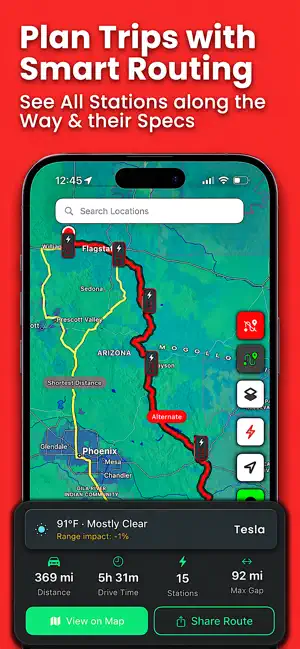
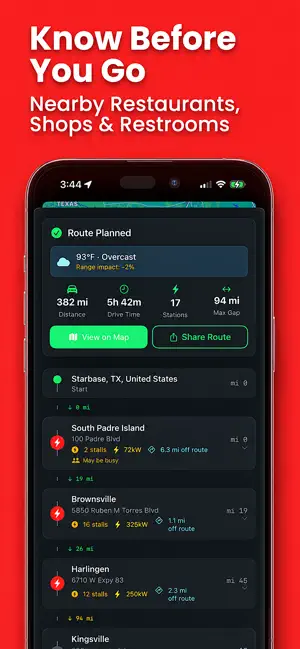
Find the nearest EV charging station in seconds — Tesla Superchargers, ChargePoint, EVgo, Rivian Adventure Network, and more, all on one map. Search by your current location or any address worldwide. Plan smarter road trips, dodge range anxiety, and spend less time worrying about your next charge. *** FEATURES *** Always Up to Date – Our database is continuously updated as new stations come online, so you never miss a charger. Detailed Station Info – See distance, stall count, power rating, elevation, connector types, and facility details at a glance. Smart Route Planner – Plan multi-stop road trips with intelligent routing. Compare the fastest, shortest, or best-coverage routes with every charger along the way. Gap Warnings – Get alerted when there's a long stretch between chargers so you can plan ahead and drive with confidence. Nearby Amenities – Food, coffee, restrooms, and shoppi…
App details
What you can learn from EV Charging Stations
Every shipping app on the App Store has gone through the same decisions you're working through right now: which screenshot goes first, what caption sits over it, which device frame to show, what color the background should be. The 6 screenshots above are EV Charging Stations's answers to those questions — they're public, they're real, and they made it through Apple's review.
Notice the first screenshot in particular. It's the one users see in search results and on the product page, and it's where most apps spend their best caption and tightest design. Look at the proportion of background to phone, where the text sits, what one thing the image is trying to communicate.
Want to see how other Navigation apps approach the same problem? Browse more Navigation apps in the showcase.
Take what works into your own screenshots
Open LaunchShots and design your App Store & Google Play screenshots — pick a device frame, drop captions, ship in minutes. Free, in your browser.
Open the screenshot editor →