Screenshots


Icon palette
About this app
- THE BEST WAY: 'G1 Written Test at DriveTest Center' is the best way to get your G1 License Canada at any DMV. The questions in the 'G1 Driver's Test Ontario 2026' app closely match those on the real G1 test at DriveTest. You'll be amazed how similar the practice tests are to the real exam! Over 99% of users feel confident and well-prepared for the real G1 test after using the app. - ALL QUESTIONS are available right away – no paywall, no hidden fees, no subscription. Practice for the Ontario G1 test with full access from the start. Use the app as much as you want for free. A paid version is available if you prefer an ad-free experience, but all content stays fully accessible to everyone. - YOUR NATIVE LANGUAGE in our app 'G1 Learner's Permit' helps you pass the Ontario G1 Knowledge Test. Available languages: English, French, Chinese, Spanish, Russian, Punjabi, Persian, Portuguese.…
App details
What you can learn from G1 driver's test Ontario 2026.
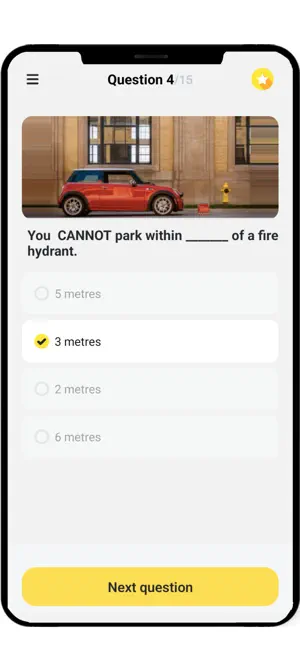
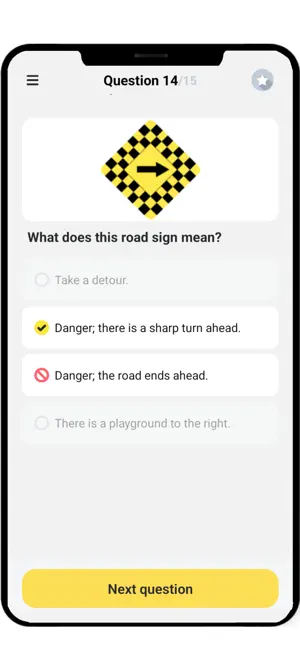
Every shipping app on the App Store has gone through the same decisions you're working through right now: which screenshot goes first, what caption sits over it, which device frame to show, what color the background should be. The 6 screenshots above are G1 driver's test Ontario 2026.'s answers to those questions — they're public, they're real, and they made it through Apple's review.
Notice the first screenshot in particular. It's the one users see in search results and on the product page, and it's where most apps spend their best caption and tightest design. Look at the proportion of background to phone, where the text sits, what one thing the image is trying to communicate.
Want to see how other Education apps approach the same problem? Browse more Education apps in the showcase.
Take what works into your own screenshots
Open LaunchShots and design your App Store & Google Play screenshots — pick a device frame, drop captions, ship in minutes. Free, in your browser.
Open the screenshot editor →