Chart position — tracked daily by LaunchShots
Screenshot style breakdown
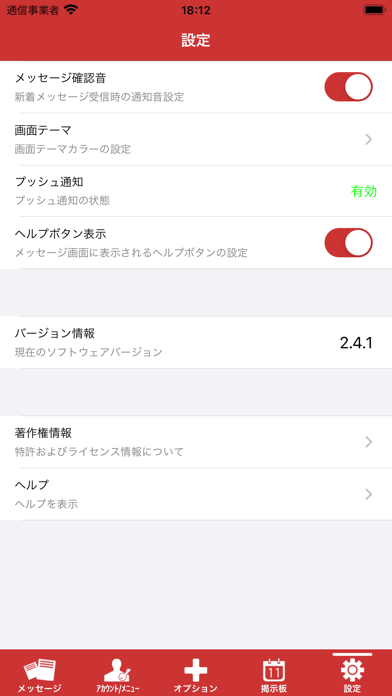
Sampled from 4 of Ocrenger's App Store screenshots — background, accent and theme, measured by LaunchShots (not something Apple publishes).
#CC3434 bg
#D35050
#0494FC accent
#FFFFFF text
Screenshots



iPad screenshots


Icon palette
About this app
株式会社パスカルが提供する安否確認、連絡網システム「オクレンジャー」の利用者専用アプリです。災害時、緊急時の安否確認や、通常時の連絡網、掲示板としてご利用いただけます。企業・学校・病院・自治体など幅広くご利用いただいております! 【登録方法】 ① アプリ起動 ② 下部のアイコンより「アカウント」を選択 ③ アカウント内、右上(+)ボタンを選択 ④ 所属団体から付与されたIDと認証キーを入力 【特徴・機能】 ・かんたん操作:直感的に操作ができる、簡単・便利な機能。 ・ID管理:独自のIDで認識・管理しているため、個人情報(メールアドレス等)は不要です。 ・回答返信:緊急参集への参加可否・安否状況などの回答・文章返信ができます。 ・災害に強いインフラ整備:国内外にサーバーを設置しており、災害時にもご利用いただけるよう備えています。 ・地震・気象情報の配信:災害時に情報を自動で配信します。防災無線やJアラートとの連携もできます。 ・掲示板:利用者同士でコメントを書き込める掲示板機能が使えます。 ※本アプリケーションの…
App details
What you can learn from Ocrenger
Every shipping app on the App Store has gone through the same decisions you're working through right now: which screenshot goes first, what caption sits over it, which device frame to show, what color the background should be. The 8 screenshots above are Ocrenger's answers to those questions — they're public, they're real, and they made it through Apple's review.
What the numbers say: Ocrenger runs a dark set with one background colour (#CC3434) carried across every screenshot — the listing reads as a single poster when the shots sit side by side in search results. The accent colour we picked up, #0494FC, is the one to reuse for badges, arrows and highlighted words if you borrow this look. Hit Use this style to open the editor with these exact colours and drop your own screenshot in.
Notice the first screenshot in particular. It's the one users see in search results and on the product page, and it's where most apps spend their best caption and tightest design. Look at the proportion of background to phone, where the text sits, what one thing the image is trying to communicate.
Want to see how other Utilities apps approach the same problem? Browse more Utilities apps in the showcase.
Take what works into your own screenshots
Open LaunchShots and design your App Store & Google Play screenshots — pick a device frame, drop captions, ship in minutes. Free, in your browser.
Open the screenshot editor →Apps with a similar look
Closest background + accent colours among the listings we've analysed — useful when you want to see the same palette handled by a different team.