Chart position — tracked daily by LaunchShots
Screenshot style breakdown
Sampled from 6 of F-Secure: Total Security & VPN's App Store screenshots — background, accent and theme, measured by LaunchShots (not something Apple publishes).
#FCF4F4 bg
#DDD6D6
#DCB484 accent
#111111 text
Screenshots



iPad screenshots


Icon palette
About this app
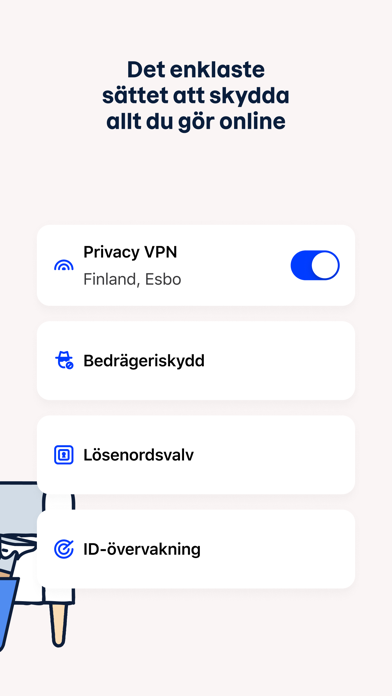
F-Secures app gör det enkelt att skydda sig online. Välj det skydd som passar dina behov bäst. Registrera dig i appen och få en kostnadsfri Mobile Security-prenumeration i 14 dagar. Mobile security-prenumeration: skydd för dina mobila enheter • Upptäck nätfiske-sidor, falska onlinebutiker och SMS-bedrägerier automatiskt. • Skydda dina pengar när du gör bankärenden, surfar och handlar online. • Anslut till valfri WiFi-hotspot säkert med en VPN och gör din surfning privat. • Förhindra identitetsstöld med dark web-övervakning dygnet runt och få varningar om dataintrång. • Blockera onödiga annonser med annonsblockerare för Safari. • Avslöja bedrägerier med Bedrägerigenomsökaren — ladda upp en skärmbild på något misstänkt och ta reda på om det är ett bedrägeri. Total-prenumeration: heltäckande skydd på alla enheter • Samma funktioner som i Mobile security plus följande. • Skydda alla d…
App details
What you can learn from F-Secure: Total Security & VPN
Every shipping app on the App Store has gone through the same decisions you're working through right now: which screenshot goes first, what caption sits over it, which device frame to show, what color the background should be. The 15 screenshots above are F-Secure: Total Security & VPN's answers to those questions — they're public, they're real, and they made it through Apple's review.
What the numbers say: F-Secure: Total Security & VPN runs a light set with one background colour (#FCF4F4) carried across every screenshot — the listing reads as a single poster when the shots sit side by side in search results. The accent colour we picked up, #DCB484, is the one to reuse for badges, arrows and highlighted words if you borrow this look. Hit Use this style to open the editor with these exact colours and drop your own screenshot in.
Notice the first screenshot in particular. It's the one users see in search results and on the product page, and it's where most apps spend their best caption and tightest design. Look at the proportion of background to phone, where the text sits, what one thing the image is trying to communicate.
Want to see how other Utilities apps approach the same problem? Browse more Utilities apps in the showcase.
Take what works into your own screenshots
Open LaunchShots and design your App Store & Google Play screenshots — pick a device frame, drop captions, ship in minutes. Free, in your browser.
Open the screenshot editor →Apps with a similar look
Closest background + accent colours among the listings we've analysed — useful when you want to see the same palette handled by a different team.