Chart position — tracked daily by LaunchShots
Screenshot style breakdown
Sampled from 5 of randstad NL's App Store screenshots — background, accent and theme, measured by LaunchShots (not something Apple publishes).
#0C1C44 bg
#2E3B5E
#6CA4B4 accent
#FFFFFF text
Screenshots




Icon palette
About this app
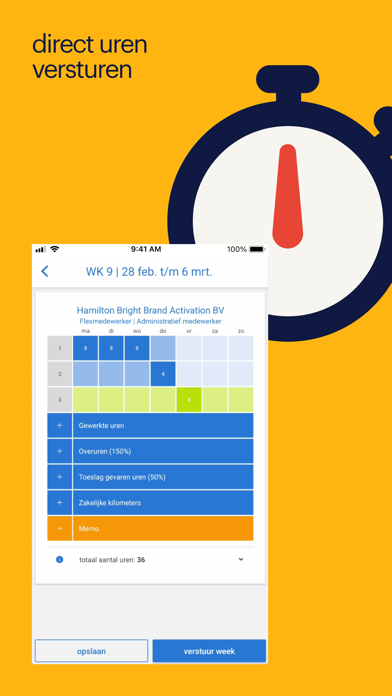
Vacatures en een baan vinden via uitzendbureau Randstad Vacatures zoeken, solliciteren en je uren schrijven. Je regelt het allemaal via je Randstad app. Je vindt onze vacatures snel en gemakkelijk via een simpele zoekopdracht. Gevonden wat je zocht? Dat is mooi. Je kunt direct solliciteren met je Randstad account. Makkelijk en snel! Welke vacatures vind je bij Randstad? * Veel vacatures bij veel verschillende bedrijven. Bijvoorbeeld; binnen de techniek, logistiek, het onderwijs en de zorg. Maar ook een baan in de hospitality, sales en it vind je via ons! * Ook in dienstverband hebben we verschillende smaken voor je beschikbaar. Zo kan je via ons fulltime of parttime aan de slag. Liever meer flexibiliteit en zelf bepalen welke baan of bijbaan je wanneer doet? Dan is Randstad Go absoluut iets voor jou! Je wil solliciteren. Hoe doe je dat? * Allereerst maak je een account aan in de ap…
App details
What you can learn from randstad NL
Every shipping app on the App Store has gone through the same decisions you're working through right now: which screenshot goes first, what caption sits over it, which device frame to show, what color the background should be. The 5 screenshots above are randstad NL's answers to those questions — they're public, they're real, and they made it through Apple's review.
What the numbers say: randstad NL runs a mixed light-and-dark set where the background shifts from screenshot to screenshot (first shot #0C1C44) — each image has to stand on its own, so the captions carry more of the story. The accent colour we picked up, #6CA4B4, is the one to reuse for badges, arrows and highlighted words if you borrow this look. Hit Use this style to open the editor with these exact colours and drop your own screenshot in.
Notice the first screenshot in particular. It's the one users see in search results and on the product page, and it's where most apps spend their best caption and tightest design. Look at the proportion of background to phone, where the text sits, what one thing the image is trying to communicate.
Want to see how other Business apps approach the same problem? Browse more Business apps in the showcase.
Take what works into your own screenshots
Open LaunchShots and design your App Store & Google Play screenshots — pick a device frame, drop captions, ship in minutes. Free, in your browser.
Open the screenshot editor →Apps with a similar look
Closest background + accent colours among the listings we've analysed — useful when you want to see the same palette handled by a different team.