Chart position — tracked daily by LaunchShots
Screenshot changes — detected by LaunchShots
Screenshot style breakdown
Sampled from 6 of Komodo - Study & Exam Prep's App Store screenshots — background, accent and theme, measured by LaunchShots (not something Apple publishes).
#5C3CF4 bg
#7257F5
#9C84FC accent
#FFFFFF text
Screenshots


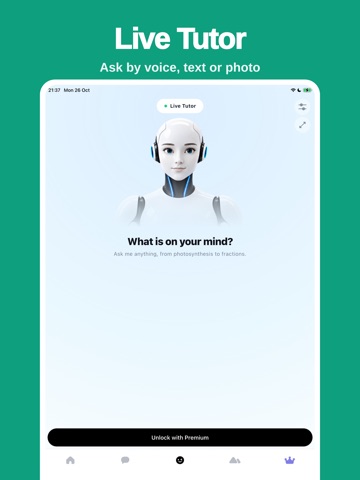
iPad screenshots




Icon palette
About this app
Komodo is a study app built around lessons. Pick your subjects and work through a clear path, chapter by chapter. EVERY CORE SUBJECT Komodo teaches a universal high school course: Mathematics, Physics, Chemistry, Biology, Integrated Science, Earth and Space Science, Geography, History, Economics, Business Studies, Computer Science, and Digital Literacy and ICT. These are the topics common to high school courses everywhere, so Komodo works alongside whatever your school is teaching rather than claiming to replace one syllabus. PICK YOUR LEVEL Choose your grade when you start and Komodo builds the path from there. College students get their own library of 56 courses, from Calculus and Organic Chemistry to Accounting, Psychology and Data Science. A STRUCTURED PATH Each subject opens as a sequence of chapters and lessons. You can see what you have finished, what comes next, and how far y…
App details
What you can learn from Komodo - Study & Exam Prep
Every shipping app on the App Store has gone through the same decisions you're working through right now: which screenshot goes first, what caption sits over it, which device frame to show, what color the background should be. The 14 screenshots above are Komodo - Study & Exam Prep's answers to those questions — they're public, they're real, and they made it through Apple's review.
What the numbers say: Komodo - Study & Exam Prep runs a mixed light-and-dark set where the background shifts from screenshot to screenshot (first shot #5C3CF4) — each image has to stand on its own, so the captions carry more of the story. The accent colour we picked up, #9C84FC, is the one to reuse for badges, arrows and highlighted words if you borrow this look. Hit Use this style to open the editor with these exact colours and drop your own screenshot in.
Notice the first screenshot in particular. It's the one users see in search results and on the product page, and it's where most apps spend their best caption and tightest design. Look at the proportion of background to phone, where the text sits, what one thing the image is trying to communicate.
Want to see how other Education apps approach the same problem? Browse more Education apps in the showcase.
Take what works into your own screenshots
Open LaunchShots and design your App Store & Google Play screenshots — pick a device frame, drop captions, ship in minutes. Free, in your browser.
Open the screenshot editor →Apps with a similar look
Closest background + accent colours among the listings we've analysed — useful when you want to see the same palette handled by a different team.