Screenshot style breakdown
Sampled from 6 of AI英会話 無限にトークできる-エンドレス's App Store screenshots — background, accent and theme, measured by LaunchShots (not something Apple publishes).
#E4F4F4 bg
#C8D6D6
#2494CC accent
#111111 text
Screenshots


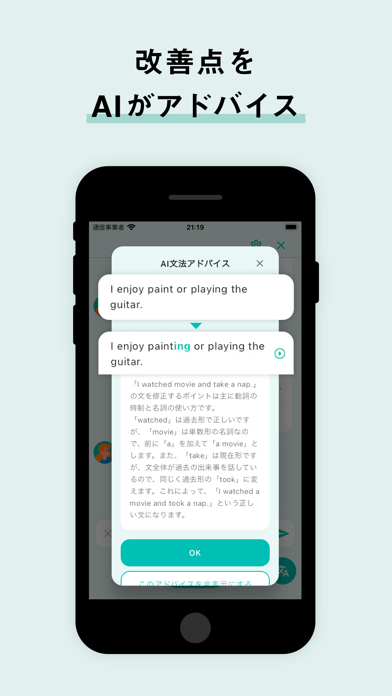
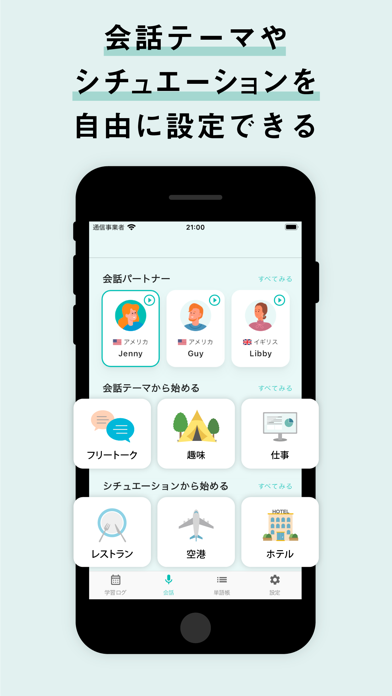

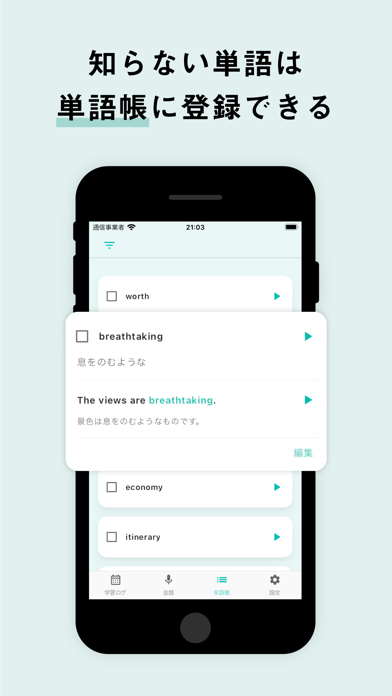

iPad screenshots
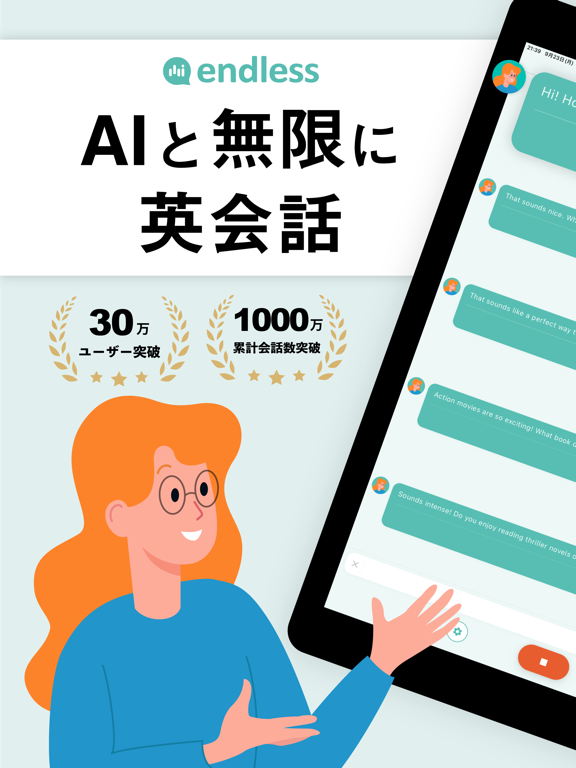


Icon palette
About this app
◆ 累計30万DL突破! ◆ 日経ビジネス掲載の国産アプリ! AIと無料で無限に英会話できる endless(エンドレス)を使用することで、初心者でも英会話を気軽に試すことができます。 endlessはAIと英会話して英語学習できる無料アプリです。 初心者でも英会話が上達するようにサポートします。 毎日の英会話を楽しく気軽に学習してスキルアップしましょう。 ■「AI英会話 endless」の機能 ・AIと英会話フリートーク ・初心者でも英会話しやすく話したい文章を英語翻訳して英会話サポート ・会話テーマからAIと英会話 ・会話シチュエーションからAIと英会話 ・瞬間英作文による英会話 ・瞬間英作文した英語文章の添削 ・テーマに沿った瞬間英作文 ・瞬間英作文を保存して一覧化 ・出題された瞬間英作文の復習 ・独り言英会話 ・英単語帳 ・英会話履歴 ■こんな方におすすめ! ・AIと気軽に英会話したい ・英会話のスキルがない英会話初心者 ・オンライン英会話が億劫 ・英会話サービスの料金が高くて無料で試したい ・たくさんの量の英会話をしたい ・隙間時間で英会話したい…
App details
What you can learn from AI英会話 無限にトークできる-エンドレス
Every shipping app on the App Store has gone through the same decisions you're working through right now: which screenshot goes first, what caption sits over it, which device frame to show, what color the background should be. The 16 screenshots above are AI英会話 無限にトークできる-エンドレス's answers to those questions — they're public, they're real, and they made it through Apple's review.
What the numbers say: AI英会話 無限にトークできる-エンドレス runs a light set with one background colour (#E4F4F4) carried across every screenshot — the listing reads as a single poster when the shots sit side by side in search results. The accent colour we picked up, #2494CC, is the one to reuse for badges, arrows and highlighted words if you borrow this look. Hit Use this style to open the editor with these exact colours and drop your own screenshot in.
Notice the first screenshot in particular. It's the one users see in search results and on the product page, and it's where most apps spend their best caption and tightest design. Look at the proportion of background to phone, where the text sits, what one thing the image is trying to communicate.
Want to see how other Education apps approach the same problem? Browse more Education apps in the showcase.
Take what works into your own screenshots
Open LaunchShots and design your App Store & Google Play screenshots — pick a device frame, drop captions, ship in minutes. Free, in your browser.
Open the screenshot editor →Apps with a similar look
Closest background + accent colours among the listings we've analysed — useful when you want to see the same palette handled by a different team.