Screenshot changes — detected by LaunchShots
Screenshot style breakdown
Sampled from 5 of トライHOME's App Store screenshots — background, accent and theme, measured by LaunchShots (not something Apple publishes).
#2C4484 bg
#495E95
#6C7CAC accent
#FFFFFF text
Reading the caption text from the screenshots in your browser…
Screenshots


Icon palette
About this app
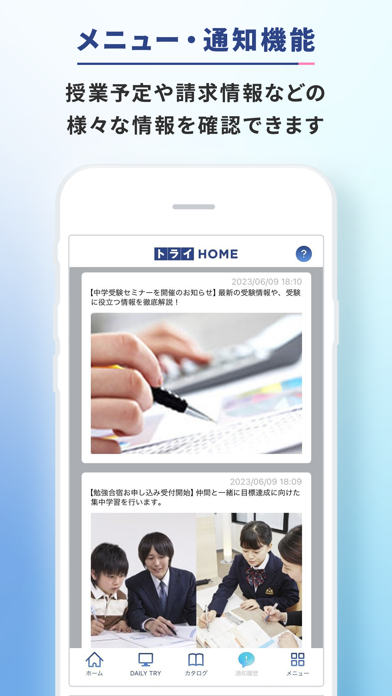
本アプリは、「家庭教師のトライ」「個別教室のトライ」「トライのオンライン個別指導塾」の会員様専用のポータルアプリです。お子さまの学習内容や授業計画、授業日程、ご契約内容などを簡単にご確認いただけます。 ※トライ会員以外の方はご利用いただけませんのでご注意ください。お通いの教室やご利用のサービスによっては本アプリを利用できない場合もございます。詳細は担当の教育プランナー・教室長へお問い合わせください。 トライグループでは、創業以来マンツーマン教育にこだわり続けながら、最新のデジタル技術も取り入れた様々な学習サービスを提供しております。 【利用開始までの手順】 ① アプリ起動後に表示されるログイン画面にて、ID(生徒番号)とパスワードを入力してください。 ② ログイン後に、ホーム画面上部にある「トライHOMEはじめてガイド」をタップして、本アプリの使い方を確認してください。 ※初めてトライHOMEにログインされる方(旧トライMy Pageにログインしたことがある方は除く)は、ログイン後パスワード変更画面にて、パスワ…
App details
What you can learn from トライHOME
Every shipping app on the App Store has gone through the same decisions you're working through right now: which screenshot goes first, what caption sits over it, which device frame to show, what color the background should be. The 5 screenshots above are トライHOME's answers to those questions — they're public, they're real, and they made it through Apple's review.
What the numbers say: トライHOME runs a mixed light-and-dark set where the background shifts from screenshot to screenshot (first shot #2C4484) — each image has to stand on its own, so the captions carry more of the story. The accent colour we picked up, #6C7CAC, is the one to reuse for badges, arrows and highlighted words if you borrow this look. Hit Use this style to open the editor with these exact colours and drop your own screenshot in.
Notice the first screenshot in particular. It's the one users see in search results and on the product page, and it's where most apps spend their best caption and tightest design. Look at the proportion of background to phone, where the text sits, what one thing the image is trying to communicate.
Want to see how other Education apps approach the same problem? Browse more Education apps in the showcase.
Take what works into your own screenshots
Open LaunchShots and design your App Store & Google Play screenshots — pick a device frame, drop captions, ship in minutes. Free, in your browser.
Open the screenshot editor →Apps with a similar look
Closest background + accent colours among the listings we've analysed — useful when you want to see the same palette handled by a different team.