Chart position — tracked daily by LaunchShots
Screenshot style breakdown
Sampled from 6 of ほぼ日手帳アプリ - LIFEのBOOK's App Store screenshots — background, accent and theme, measured by LaunchShots (not something Apple publishes).
#FCFCFC bg
#DDDDDD
#649CCC accent
#111111 text
Reading the caption text from the screenshots in your browser…
Screenshots




Icon palette
About this app
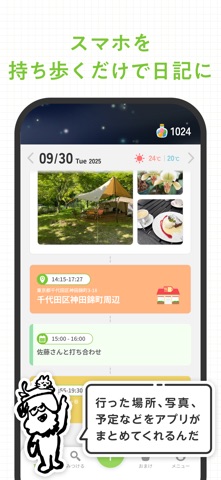
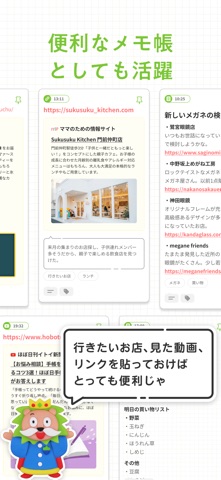
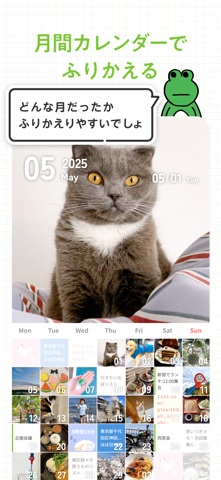
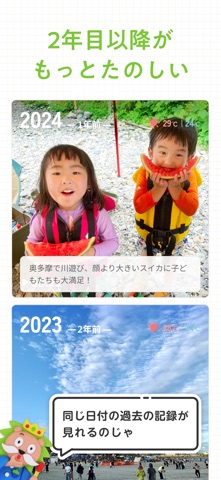
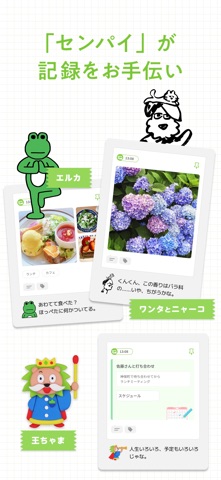
\生きてるって、思い出をつくること。/ ほぼ日手帳アプリは、いつも持ち歩くスマートフォンに収められているいろいろな記録が、その日の思い出とともに残る「LIFEのBOOK」です。 ● スマホを持ち歩くだけで日記に ● 「今日の表紙」はどれにする? ● じつは便利なメモ帳としても活躍 ● 思い出を手軽にプリント ● おたのしみの機能も充実! ● 「センパイ」がお手伝い ◆スマホを持ち歩くだけで日記に ふだんからスマートフォンに記録している、「でかけた場所」「撮った写真」「スケジュール」といった何気ない「今日のできごと」がアプリに自動で集まります。 ◆「今日の表紙」はどれにする? タイムラインに並んだ記録の中から、どれかひとつを「今日の表紙」としてクリップしてみましょう。毎日ひとつ選べば「LIFEのBOOK」ができていきます。 ◆じつは便利なメモ帳としても活躍 思いついたアイディアや、友達に教えてもらったお店、気になるサイトや動画のURLなど、 その日に知った情報をすべて残しておけます。タグをつける機能も。 ◆思い出を手軽にプリント ア…
App details
What you can learn from ほぼ日手帳アプリ - LIFEのBOOK
Every shipping app on the App Store has gone through the same decisions you're working through right now: which screenshot goes first, what caption sits over it, which device frame to show, what color the background should be. The 9 screenshots above are ほぼ日手帳アプリ - LIFEのBOOK's answers to those questions — they're public, they're real, and they made it through Apple's review.
What the numbers say: ほぼ日手帳アプリ - LIFEのBOOK runs a light set with one background colour (#FCFCFC) carried across every screenshot — the listing reads as a single poster when the shots sit side by side in search results. The accent colour we picked up, #649CCC, is the one to reuse for badges, arrows and highlighted words if you borrow this look. Hit Use this style to open the editor with these exact colours and drop your own screenshot in.
Notice the first screenshot in particular. It's the one users see in search results and on the product page, and it's where most apps spend their best caption and tightest design. Look at the proportion of background to phone, where the text sits, what one thing the image is trying to communicate.
Want to see how other Lifestyle apps approach the same problem? Browse more Lifestyle apps in the showcase.
Take what works into your own screenshots
Open LaunchShots and design your App Store & Google Play screenshots — pick a device frame, drop captions, ship in minutes. Free, in your browser.
Open the screenshot editor →Apps with a similar look
Closest background + accent colours among the listings we've analysed — useful when you want to see the same palette handled by a different team.