Screenshot changes — detected by LaunchShots
Screenshot style breakdown
Sampled from 6 of 翻译鸥 - AI智能同传翻译、视频翻译、图片翻译工具's App Store screenshots — background, accent and theme, measured by LaunchShots (not something Apple publishes).
#FCFCFC bg
#DDDDDD
#D4BC84 accent
#111111 text
Screenshots


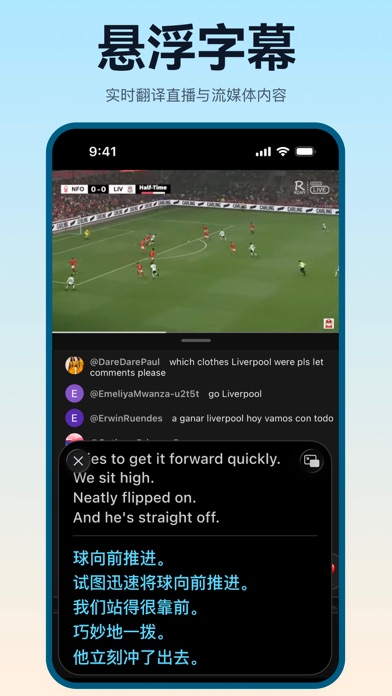


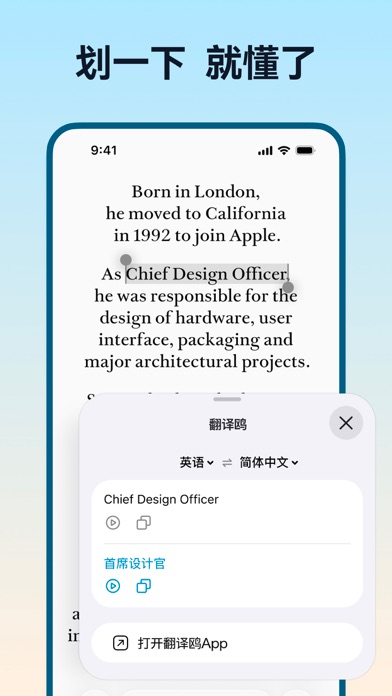
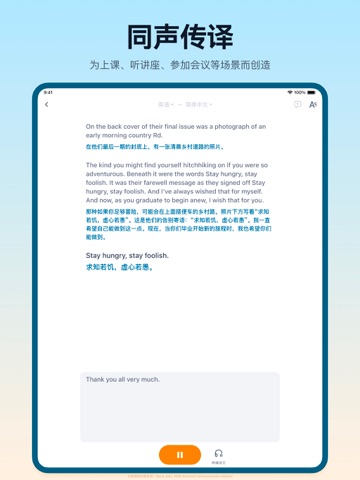
iPad screenshots



Icon palette
About this app
功能概述: 1. 实用、实时的同声传译 持续识别、持续翻译,实时展现翻译结果。为讲座、课堂、直播、会议等场景打造。除了在屏幕上看到译文,带上耳机还能同步听到同传翻译内容。 2. 你喜欢的视频,用你的语言看懂 轻松实现视频翻译。想看的YouTube视频、或是本地的视频文件,在手机上轻点几步,轻松生成双语字幕。支持一次翻译,无限次分享:将翻译完的视频分享给好友,好友可以免费观看。 3. 新增支持音频文件翻译和播客翻译 现在,你可以上传音频,或直接粘贴播客链接,让我们为你快速为您生成双语字幕。 无论是学习外语、听讲座,还是追自己喜欢的播客节目,都能更轻松! 4.更可靠的对话翻译 支持语音翻译、文字翻译的双语对话翻译功能,AI会结合上下文进行翻译,更准确有效地帮助你传递想法 5. 更准确的图片翻译 翻译鸥的图片翻译会比其他软件要慢一点,因为AI推理计算需要更长的时间,所以我们翻译的更准更容易看懂。 6. 支持查看翻译历史记录和恢复对话 支持的语言: - 英语 - 日语 - 繁体中文 - 简体中文 - 法语 - 西班牙语 - 俄语 - 韩语 - 越南语 - …
App details
What you can learn from 翻译鸥 - AI智能同传翻译、视频翻译、图片翻译工具
Every shipping app on the App Store has gone through the same decisions you're working through right now: which screenshot goes first, what caption sits over it, which device frame to show, what color the background should be. The 16 screenshots above are 翻译鸥 - AI智能同传翻译、视频翻译、图片翻译工具's answers to those questions — they're public, they're real, and they made it through Apple's review.
What the numbers say: 翻译鸥 - AI智能同传翻译、视频翻译、图片翻译工具 runs a light set where the background shifts from screenshot to screenshot (first shot #FCFCFC) — each image has to stand on its own, so the captions carry more of the story. The accent colour we picked up, #D4BC84, is the one to reuse for badges, arrows and highlighted words if you borrow this look. Hit Use this style to open the editor with these exact colours and drop your own screenshot in.
Notice the first screenshot in particular. It's the one users see in search results and on the product page, and it's where most apps spend their best caption and tightest design. Look at the proportion of background to phone, where the text sits, what one thing the image is trying to communicate.
Want to see how other Reference apps approach the same problem? Browse more Reference apps in the showcase.
Take what works into your own screenshots
Open LaunchShots and design your App Store & Google Play screenshots — pick a device frame, drop captions, ship in minutes. Free, in your browser.
Open the screenshot editor →Apps with a similar look
Closest background + accent colours among the listings we've analysed — useful when you want to see the same palette handled by a different team.