Chart position — tracked daily by LaunchShots
Screenshot style breakdown
Sampled from 3 of 侠客汇's App Store screenshots — background, accent and theme, measured by LaunchShots (not something Apple publishes).
#E4ECEC bg
#C8CFCF
#0C345C accent
#111111 text
Reading the caption text from the screenshots in your browser…
Screenshots
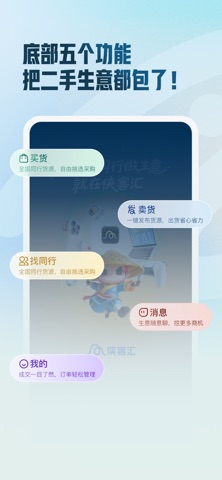
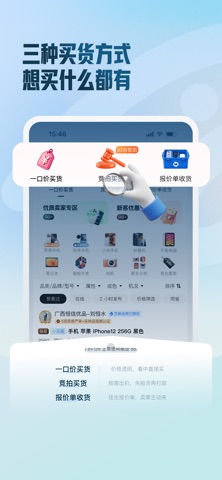

Icon palette
About this app
侠客汇:有实人认证的二手社交贸易平台。 侠客汇,二手B2B社交贸易平台,致力于让千万商家二手生意更好做。为同行提供高效地信息匹配服务,找靠谱同行、找货源更简单!来侠客汇,买卖更放心! 【一键发布,精准匹配,买卖更自由!】 极速卖货:无需开店,一键发布货品,上百位买家实时在线报价,任你自由选择。 便捷买货:快速发布求购需求,海量商家即时响应,主动提供货源,由你择优成交。 高效匹配:海量活跃商家,系统智能推荐,买卖双方直接对接,省心又省力。 【找货源,找伙伴,一搜就有!】 海量同行:侠客汇有海量同行资源,100%真人认证,靠谱得很! 信誉互评:同行互评帮你快速辨别靠谱伙伴。 即时聊天:侠客汇让你随时互动,拓展同行人脉。 信息共享:侠客汇让你第一时间掌握行业信息,交流贸易无障碍。 【专业工具,生意更省心!】 报价单管理工具:提供专业高效的回收报价管理工具,帮您快速生成报价单; 全流程管理:从订单到质检再到报价,一站式管理更便捷。 账单清晰:账目一目了然,让你的财务管理更轻松。 【专属顾问,服务更贴心!】 1对1服…
App details
What you can learn from 侠客汇
Every shipping app on the App Store has gone through the same decisions you're working through right now: which screenshot goes first, what caption sits over it, which device frame to show, what color the background should be. The 3 screenshots above are 侠客汇's answers to those questions — they're public, they're real, and they made it through Apple's review.
What the numbers say: 侠客汇 runs a light set with one background colour (#E4ECEC) carried across every screenshot — the listing reads as a single poster when the shots sit side by side in search results. The accent colour we picked up, #0C345C, is the one to reuse for badges, arrows and highlighted words if you borrow this look. Hit Use this style to open the editor with these exact colours and drop your own screenshot in.
Notice the first screenshot in particular. It's the one users see in search results and on the product page, and it's where most apps spend their best caption and tightest design. Look at the proportion of background to phone, where the text sits, what one thing the image is trying to communicate.
Want to see how other Social Networking apps approach the same problem? Browse more Social Networking apps in the showcase.
Take what works into your own screenshots
Open LaunchShots and design your App Store & Google Play screenshots — pick a device frame, drop captions, ship in minutes. Free, in your browser.
Open the screenshot editor →Apps with a similar look
Closest background + accent colours among the listings we've analysed — useful when you want to see the same palette handled by a different team.