Screenshot changes — detected by LaunchShots
Screenshot style breakdown
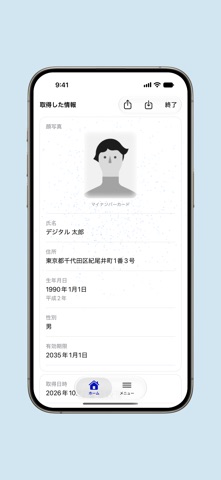
Sampled from 4 of マイナンバーカード対面確認アプリ's App Store screenshots — background, accent and theme, measured by LaunchShots (not something Apple publishes).
#D4E4F4 bg
#BAC8D6
#848CCC accent
#111111 text
Reading the caption text from the screenshots in your browser…
Screenshots


iPad screenshots


Icon palette
About this app
デジタル庁が提供する「マイナンバーカード対面確認アプリ」は、マイナンバーカードなどのICチップを読み取り、格納された氏名などの本人情報を確認するためのアプリです。事業者や自治体のスタッフが、店舗や窓口で顧客や住民の本人確認をする際に利用できます。 ICチップに記録された情報と電子署名を確認するため、券面の目視だけでは見分けにくい偽造カードを見分けられます。 ■ 確認できる本人確認書類 ・実物のマイナンバーカード ・スマートフォンのマイナンバーカード ・特定在留カード、特定特別永住者証明書 ■ 主な機能 ・実物のマイナンバーカードの確認:カードの表面をカメラで読み取るか、キーボードで入力したうえで、ICチップの情報を読み取ります。氏名、住所、生年月日、性別、顔写真、有効期限を確認できます。 ・スマートフォンのマイナンバーカードの確認:お客さまのスマートフォンとスタッフの端末を近づけるだけで確認できます。20歳以上かどうか、年齢、基本情報から、業務に必要な確認内容を選べます。 ・特定在留カード等の確認:マイ…
App details
What you can learn from マイナンバーカード対面確認アプリ
Every shipping app on the App Store has gone through the same decisions you're working through right now: which screenshot goes first, what caption sits over it, which device frame to show, what color the background should be. The 7 screenshots above are マイナンバーカード対面確認アプリ's answers to those questions — they're public, they're real, and they made it through Apple's review.
What the numbers say: マイナンバーカード対面確認アプリ runs a light set with one background colour (#D4E4F4) carried across every screenshot — the listing reads as a single poster when the shots sit side by side in search results. The accent colour we picked up, #848CCC, is the one to reuse for badges, arrows and highlighted words if you borrow this look. Hit Use this style to open the editor with these exact colours and drop your own screenshot in.
Notice the first screenshot in particular. It's the one users see in search results and on the product page, and it's where most apps spend their best caption and tightest design. Look at the proportion of background to phone, where the text sits, what one thing the image is trying to communicate.
Want to see how other Utilities apps approach the same problem? Browse more Utilities apps in the showcase.
Take what works into your own screenshots
Open LaunchShots and design your App Store & Google Play screenshots — pick a device frame, drop captions, ship in minutes. Free, in your browser.
Open the screenshot editor →Apps with a similar look
Closest background + accent colours among the listings we've analysed — useful when you want to see the same palette handled by a different team.