Screenshot style breakdown
Sampled from 6 of Boost Cleaner: メモリ解放's App Store screenshots — background, accent and theme, measured by LaunchShots (not something Apple publishes).
#FCFCFC bg
#DDDDDD
#044CFC accent
#111111 text
Screenshots


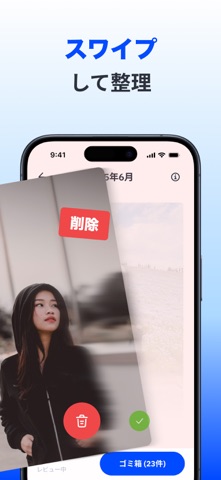


iPad screenshots
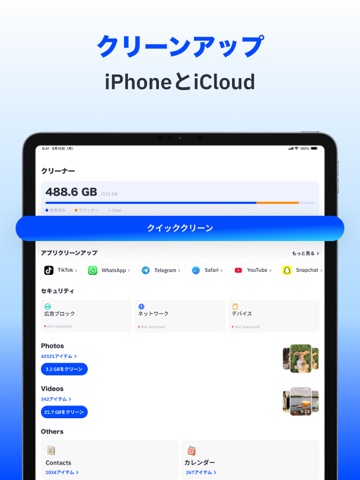


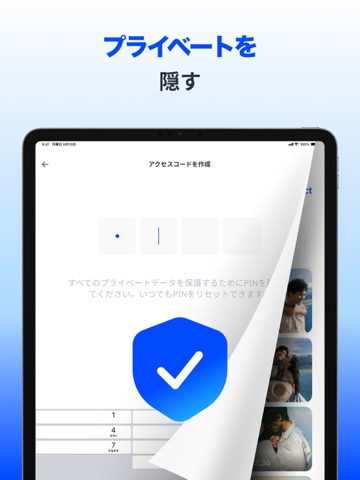


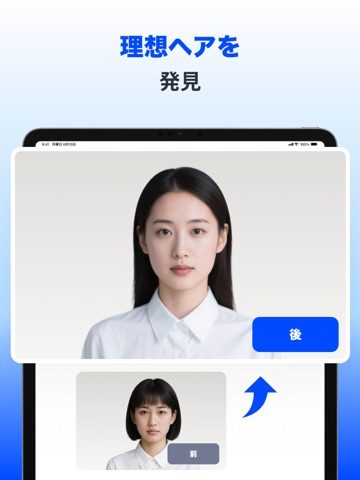

Icon palette
About this app
Boost Cleanerを使えば、重複写真の削除、大容量動画の圧縮、アルバムの整理をすばやく行えます。さらに、わずかな操作でコンテンツを編集、保護、スタイリングできる強力なAIツールも利用できます。 できること 1. すっきり整理 重複または類似した写真を検出して削除し、容量の大きな動画を整理して、画質を損なうことなくファイルを圧縮できます。フォトライブラリをすっきり軽く、使いやすい状態に保ちます。 2. プライバシーを保護 プライベートな写真をロックされたアルバムで保護し、重複した連絡先を統合して、アドレス帳をすっきり正確に保ちます。 3. 補正&作成 AIを使って、ぼやけた画像や古い写真を修復し、不要な要素を取り除き、細部を鮮明にして、よりクリアで美しい写真に仕上げます。 4. 新しいスタイルを試す 新しいヘアスタイルや服装をすぐに試し、自分の特徴を自然に引き立てるスタイルを確認できます。 サブスクリプションプラン 週間、月間、年間プランからお選びください。 購入時にiTunesアカウントへ料金が請求されます。現在の期間が終…
App details
What you can learn from Boost Cleaner: メモリ解放
Every shipping app on the App Store has gone through the same decisions you're working through right now: which screenshot goes first, what caption sits over it, which device frame to show, what color the background should be. The 20 screenshots above are Boost Cleaner: メモリ解放's answers to those questions — they're public, they're real, and they made it through Apple's review.
What the numbers say: Boost Cleaner: メモリ解放 runs a light set with one background colour (#FCFCFC) carried across every screenshot — the listing reads as a single poster when the shots sit side by side in search results. The accent colour we picked up, #044CFC, is the one to reuse for badges, arrows and highlighted words if you borrow this look. Hit Use this style to open the editor with these exact colours and drop your own screenshot in.
Notice the first screenshot in particular. It's the one users see in search results and on the product page, and it's where most apps spend their best caption and tightest design. Look at the proportion of background to phone, where the text sits, what one thing the image is trying to communicate.
Want to see how other Productivity apps approach the same problem? Browse more Productivity apps in the showcase.
Take what works into your own screenshots
Open LaunchShots and design your App Store & Google Play screenshots — pick a device frame, drop captions, ship in minutes. Free, in your browser.
Open the screenshot editor →Apps with a similar look
Closest background + accent colours among the listings we've analysed — useful when you want to see the same palette handled by a different team.