Screenshot changes — detected by LaunchShots
Screenshot style breakdown
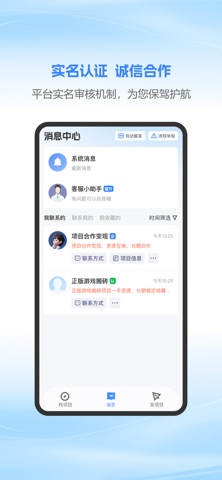
Sampled from 3 of 富业's App Store screenshots — background, accent and theme, measured by LaunchShots (not something Apple publishes).
#FCFCFC bg
#DDDDDD
#94C4FC accent
#111111 text
Reading the caption text from the screenshots in your browser…
Screenshots


Icon palette
About this app
富业APP,为效率而生! 我们是资源整合行业的引领者——企鹊桥。在服务超过300万用户、创造百亿价值后,我们倾力打造了“富业APP”。 如果您追求极致的效率,希望以最快的速度链接商机,那么富业APP就是您的最佳选择。我们保留了最核心的资源对接功能,去繁就简,为您带来“更快、更轻、更专注”的找项目和发项目体验。 【富业APP核心优势】 轻量简洁:全局UI基于“轻量”概念权限打造,仅保留核心功能,找项目更方便 专注核心:功能结构聚焦“找项目、沟通、发项目”三大核心场景,界面更简洁,发项目更便捷。 极速启动:秒级响应,即开即用,让您的每一次点击都无需等待。 【核心功能,同样强大】 闪电发布 不到1分钟,即可发布您的合作需求。无论是找项目、招代理,还是找客户、寻渠道,坐等海量合作机会主动上门。 高效直聊 无缝对接主平台300万商业精英,覆盖全国99%地级市。在线直聊、电话、微信,多种方式让您跨越地域,高效洽谈。 精准搜索 共享企鹊桥9年沉淀的行业经验。强大的搜索引擎,让您精准找到所需的人脉、项目和渠道。 一键曝光 保留核心的刷新与置顶功…
App details
What you can learn from 富业
Every shipping app on the App Store has gone through the same decisions you're working through right now: which screenshot goes first, what caption sits over it, which device frame to show, what color the background should be. The 3 screenshots above are 富业's answers to those questions — they're public, they're real, and they made it through Apple's review.
What the numbers say: 富业 runs a light set with one background colour (#FCFCFC) carried across every screenshot — the listing reads as a single poster when the shots sit side by side in search results. The accent colour we picked up, #94C4FC, is the one to reuse for badges, arrows and highlighted words if you borrow this look. Hit Use this style to open the editor with these exact colours and drop your own screenshot in.
Notice the first screenshot in particular. It's the one users see in search results and on the product page, and it's where most apps spend their best caption and tightest design. Look at the proportion of background to phone, where the text sits, what one thing the image is trying to communicate.
Want to see how other Business apps approach the same problem? Browse more Business apps in the showcase.
Take what works into your own screenshots
Open LaunchShots and design your App Store & Google Play screenshots — pick a device frame, drop captions, ship in minutes. Free, in your browser.
Open the screenshot editor →Apps with a similar look
Closest background + accent colours among the listings we've analysed — useful when you want to see the same palette handled by a different team.