Chart position — tracked daily by LaunchShots
Screenshot changes — detected by LaunchShots
Screenshot style breakdown
Sampled from 6 of AXCI センタリング判定&カード管理's App Store screenshots — background, accent and theme, measured by LaunchShots (not something Apple publishes).
#040404 bg
#272727
#AC7454 accent
#FFFFFF text
Reading the caption text from the screenshots in your browser…
Screenshots
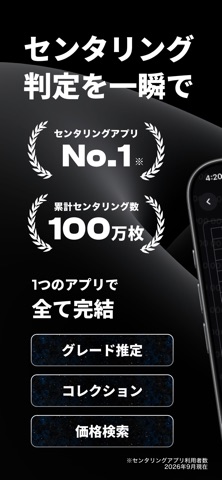
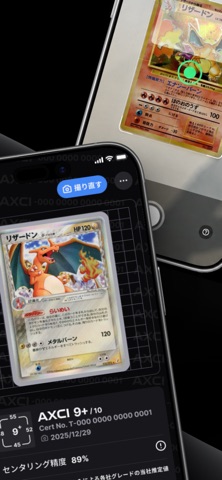


iPad screenshots


Icon palette
About this app
カードのセンタリングを測り、相場を調べ、コレクションを整理。AXCIは、ポケモンカードの状態を記録し、鑑定提出前の判断をサポートするアプリです。 ■ 撮影してセンタリングを確認 カメラで撮影したカードや写真を解析し、上下左右の余白バランスを確認できます。結果を見ながらカードの位置を調整できます。 ■ カード情報と相場を調べる カード名や番号からカードを探し、市場価格の目安を確認できます。表示通貨を切り替えて、自分に合った単位で価格をチェックできます。認識結果が違う場合は候補を確認して修正できます。 ■ アルバムでコレクション管理 カードと解析結果を保存し、コレクションをまとめて確認できます。鑑定に出したいカードの比較や、手持ちの整理に役立ちます。 日本語・英語・フランス語・繁体字中国語・簡体字中国語の表示に対応しています。地域や利用する機能によってログインが必要です。 センタリングスコアは独自モデルによる推定であり、カード全体の状態評価や公式鑑定ではありません。真贋、鑑定グレード、売買価格は保証しま…
App details
What you can learn from AXCI センタリング判定&カード管理
Every shipping app on the App Store has gone through the same decisions you're working through right now: which screenshot goes first, what caption sits over it, which device frame to show, what color the background should be. The 10 screenshots above are AXCI センタリング判定&カード管理's answers to those questions — they're public, they're real, and they made it through Apple's review.
What the numbers say: AXCI センタリング判定&カード管理 runs a dark set with one background colour (#040404) carried across every screenshot — the listing reads as a single poster when the shots sit side by side in search results. The accent colour we picked up, #AC7454, is the one to reuse for badges, arrows and highlighted words if you borrow this look. Hit Use this style to open the editor with these exact colours and drop your own screenshot in.
Notice the first screenshot in particular. It's the one users see in search results and on the product page, and it's where most apps spend their best caption and tightest design. Look at the proportion of background to phone, where the text sits, what one thing the image is trying to communicate.
Want to see how other Reference apps approach the same problem? Browse more Reference apps in the showcase.
Take what works into your own screenshots
Open LaunchShots and design your App Store & Google Play screenshots — pick a device frame, drop captions, ship in minutes. Free, in your browser.
Open the screenshot editor →Apps with a similar look
Closest background + accent colours among the listings we've analysed — useful when you want to see the same palette handled by a different team.