Screenshot changes — detected by LaunchShots
Screenshot style breakdown
Sampled from 6 of Cuts Make's App Store screenshots — background, accent and theme, measured by LaunchShots (not something Apple publishes).
#1C1C2C bg
#3B3B49
#E4E494 accent
#FFFFFF text
Reading the caption text from the screenshots in your browser…
Screenshots


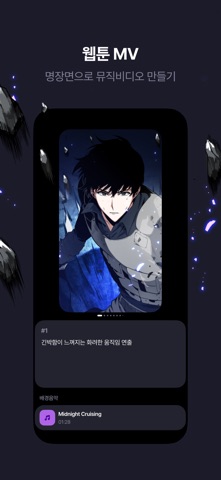


iPad screenshots


Icon palette
About this app
Cuts Make는 네이버 웹툰의 작품과 캐릭터로 직접 영상을 만드는 서비스입니다. [스토리] 상상한 이야기를 그대로 영상으로 만들어 보세요. 말로 설명하기 어려운 구도·의상·배경은 참조 이미지로 알려주세요. PRO 모델로 만들면 역동적인 액션과 더빙까지 담을 수 있어요. [캐릭터 밈] 복잡한 편집 도구는 필요 없어요. 최애 캐릭터를 캐스팅하고 템플릿만 고르면 누구나 트렌디한 밈을 쉽게 만들 수 있어요! 원하는 템플릿이 없다면 '내 맘대로 밈'으로 직접 만들어 보세요. [웹툰 MV] 작품을 고르고 좋아하는 장면만 선택하면 웹툰 MV가 완성됩니다. 각 장면에 움직임을 더하고, BGM과 가사까지 내 취향대로 넣을 수 있어요. [편집하기] 자막, 음악, 보이스까지 한 화면에서 끝내 보세요. - AI 보이스: 목소리와 어조를 고르면 대사를 목소리로 만들어 줘요. - 씬 불러오기: 내가 만들었던 영상을 불러와 장면을 이어 붙일 수 있어요. 지금 바로 Cuts Make에서 나만의 웹툰 영상을 만들어 보세요! ※ Cuts Make에서 제공하는 작품과 캐릭터는 모두 해당 작품…
App details
What you can learn from Cuts Make
Every shipping app on the App Store has gone through the same decisions you're working through right now: which screenshot goes first, what caption sits over it, which device frame to show, what color the background should be. The 12 screenshots above are Cuts Make's answers to those questions — they're public, they're real, and they made it through Apple's review.
What the numbers say: Cuts Make runs a dark set with one background colour (#1C1C2C) carried across every screenshot — the listing reads as a single poster when the shots sit side by side in search results. The accent colour we picked up, #E4E494, is the one to reuse for badges, arrows and highlighted words if you borrow this look. Hit Use this style to open the editor with these exact colours and drop your own screenshot in.
Notice the first screenshot in particular. It's the one users see in search results and on the product page, and it's where most apps spend their best caption and tightest design. Look at the proportion of background to phone, where the text sits, what one thing the image is trying to communicate.
Want to see how other Photo & Video apps approach the same problem? Browse more Photo & Video apps in the showcase.
Take what works into your own screenshots
Open LaunchShots and design your App Store & Google Play screenshots — pick a device frame, drop captions, ship in minutes. Free, in your browser.
Open the screenshot editor →Apps with a similar look
Closest background + accent colours among the listings we've analysed — useful when you want to see the same palette handled by a different team.