Chart position — tracked daily by LaunchShots
Screenshot style breakdown
Sampled from 4 of LNE's App Store screenshots — background, accent and theme, measured by LaunchShots (not something Apple publishes).
#DCDCDC bg
#C1C1C1
#047CC4 accent
#111111 text
Screenshots


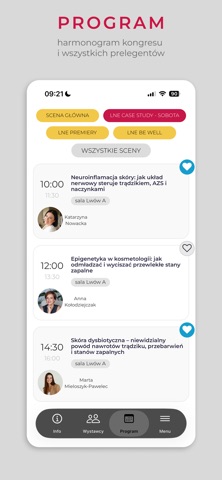

iPad screenshots


Icon palette
About this app
Dołącz do kolejnej edycji Kongresu i Targów LNE – najważniejszego wydarzenia branży beauty w Polsce! Pobierz oficjalną aplikację, która jest niezbędnym narzędziem dla każdego profesjonalisty planującego udział w wydarzeniu. Aplikacja to coś więcej niż strona www – to Twój osobisty asystent, który sprawi, że w pełni wykorzystasz potencjał Kongresu. Kluczowe funkcje aplikacji: Interaktywna Agenda: Przeglądaj pełny program wykładów i sesji Case Study. Stwórz własny harmonogram, dodając wybrane punkty do ulubionych, aby nie przegapić żadnego wystąpienia • Konkurs dla uczestników: Tylko w aplikacji możesz wziąć udział wy jubileuszowym konkursie i wygrać nagrodę o wartości 30 000 • Networking 2.0: Nawiązuj kontakty z innymi uczestnikami i ekspertami bezpośrednio przez aplikację. Buduj sieć profesjonalnych relacji jeszcze przed wejściem na halę targową. • Powiadomienia Push (Tylko…
App details
What you can learn from LNE
Every shipping app on the App Store has gone through the same decisions you're working through right now: which screenshot goes first, what caption sits over it, which device frame to show, what color the background should be. The 8 screenshots above are LNE's answers to those questions — they're public, they're real, and they made it through Apple's review.
What the numbers say: LNE runs a light set with one background colour (#DCDCDC) carried across every screenshot — the listing reads as a single poster when the shots sit side by side in search results. The accent colour we picked up, #047CC4, is the one to reuse for badges, arrows and highlighted words if you borrow this look. Hit Use this style to open the editor with these exact colours and drop your own screenshot in.
Notice the first screenshot in particular. It's the one users see in search results and on the product page, and it's where most apps spend their best caption and tightest design. Look at the proportion of background to phone, where the text sits, what one thing the image is trying to communicate.
Want to see how other Business apps approach the same problem? Browse more Business apps in the showcase.
Take what works into your own screenshots
Open LaunchShots and design your App Store & Google Play screenshots — pick a device frame, drop captions, ship in minutes. Free, in your browser.
Open the screenshot editor →Apps with a similar look
Closest background + accent colours among the listings we've analysed — useful when you want to see the same palette handled by a different team.