Screenshot changes — detected by LaunchShots
Screenshot style breakdown
Sampled from 6 of Unikazan Panel's App Store screenshots — background, accent and theme, measured by LaunchShots (not something Apple publishes).
#0C141C bg
#2E343B
#6C74DC accent
#FFFFFF text
Reading the caption text from the screenshots in your browser…
Screenshots


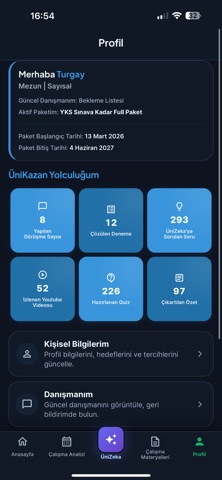
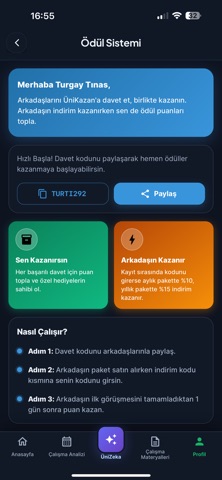
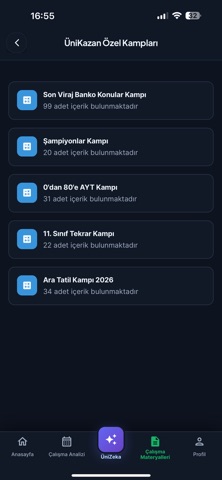
iPad screenshots


Icon palette
About this app
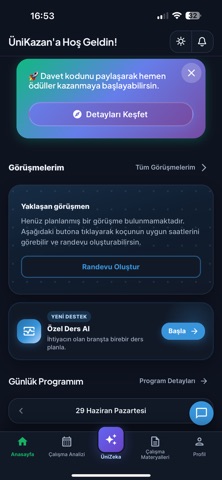
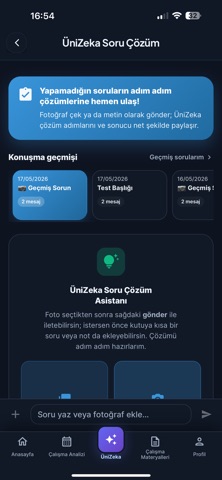
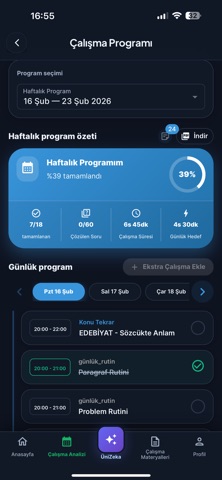
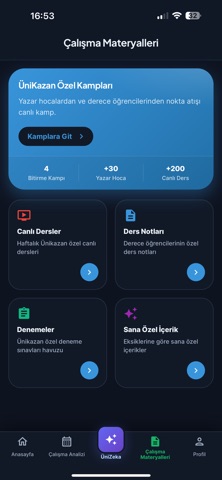
Unikazan, YKS koçluk ve çalışma programı sistemi sunan akıllı dijital koçluk platformudur. YKS, LGS ve KPSS sınavlarına hazırlanan öğrenciler ile koçları aynı platformda buluşturur. Unikazan sayesinde öğrenciler kişisel çalışma programlarını, görevlerini ve deneme analizlerini tek uygulama üzerinden takip edebilir. ÖĞRENCILER IÇIN - Koçunuzun sizin için hazırladığı kişisel çalışma programını takip edin - Konu tekrarı, soru çözümü, deneme ve video ödevlerinizi görüntüleyin - Görevleri tamamladıkça işaretleyin ve ilerlemenizi anlık olarak görün - Deneme sınavı sonuçlarınızı konu bazında analiz edin - Net trendlerinizi grafikler üzerinde takip edin GELIŞMIŞ ANALIZ ARAÇLARI - Konu bazlı yanlış analizi ve net trend grafikleri - Soru çözüm takip sistemi - PDF çıktısı ile çalışma programı raporları - YouTube video ödevi kataloğu Unikazan ile YKS, LGS ve KPSS hazırlık süreçlerinizi planlı…
App details
What you can learn from Unikazan Panel
Every shipping app on the App Store has gone through the same decisions you're working through right now: which screenshot goes first, what caption sits over it, which device frame to show, what color the background should be. The 12 screenshots above are Unikazan Panel's answers to those questions — they're public, they're real, and they made it through Apple's review.
What the numbers say: Unikazan Panel runs a dark set with one background colour (#0C141C) carried across every screenshot — the listing reads as a single poster when the shots sit side by side in search results. The accent colour we picked up, #6C74DC, is the one to reuse for badges, arrows and highlighted words if you borrow this look. Hit Use this style to open the editor with these exact colours and drop your own screenshot in.
Notice the first screenshot in particular. It's the one users see in search results and on the product page, and it's where most apps spend their best caption and tightest design. Look at the proportion of background to phone, where the text sits, what one thing the image is trying to communicate.
Want to see how other Education apps approach the same problem? Browse more Education apps in the showcase.
Take what works into your own screenshots
Open LaunchShots and design your App Store & Google Play screenshots — pick a device frame, drop captions, ship in minutes. Free, in your browser.
Open the screenshot editor →Apps with a similar look
Closest background + accent colours among the listings we've analysed — useful when you want to see the same palette handled by a different team.