Screenshots

Icon palette
About this app
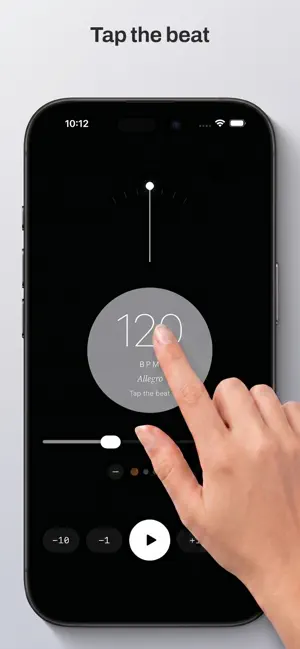
From the creator of other popular music apps: a minimalist metronome designed for high precision and zero distractions. It provides a reliable beat for iPhone and a tactile, haptic pulse for Apple Watch. CORE FEATURES The app is built around a timing engine that maintains a steady tempo without drifting or stuttering. Whether you are practicing at 40 BPM or 240 BPM, the timing remains consistent over long sessions. APPLE WATCH: BACKGROUND HAPTICS Most watch apps stop or lag when you lower your wrist or the screen dims. This app is built to stay active. Background Mode: The metronome continues to run and send haptics for up to an hour of continuous use, even while the watch is asleep. Taptic Feedback: Feel the beat through physical vibrations on your wrist. This allows for silent practice without the need for headphones or loud audio. Independent Operation: The watch app can run nat…
App details
What you can learn from Metronome: BPM Tempo & Haptics
Every shipping app on the App Store has gone through the same decisions you're working through right now: which screenshot goes first, what caption sits over it, which device frame to show, what color the background should be. The 2 screenshots above are Metronome: BPM Tempo & Haptics's answers to those questions — they're public, they're real, and they made it through Apple's review.
Notice the first screenshot in particular. It's the one users see in search results and on the product page, and it's where most apps spend their best caption and tightest design. Look at the proportion of background to phone, where the text sits, what one thing the image is trying to communicate.
Want to see how other Music apps approach the same problem? Browse more Music apps in the showcase.
Take what works into your own screenshots
Open LaunchShots and design your App Store & Google Play screenshots — pick a device frame, drop captions, ship in minutes. Free, in your browser.
Open the screenshot editor →