Screenshot style breakdown
Sampled from 6 of Creador de Collages PicCut's App Store screenshots — background, accent and theme, measured by LaunchShots (not something Apple publishes).
#FCE4EC bg
#DDC8CF
#C41C1C accent
#111111 text
Screenshots
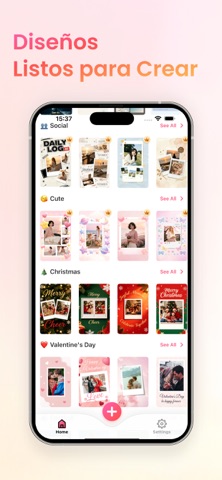


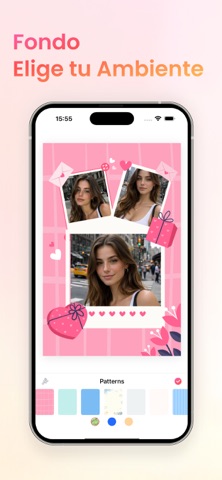
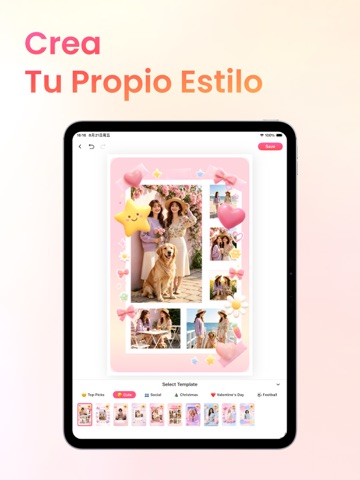
iPad screenshots



Icon palette
About this app
PicCut facilita la transformación de tus fotos en collages limpios, elegantes y cuadrículas artísticas. Crea diseños profesionales para recuerdos, publicaciones en redes sociales, mood boards y para compartir a diario con herramientas de edición flexibles diseñadas para obtener resultados rápidos y de alta calidad. Funciones principales Creador de collages versátil Crea collages impresionantes con 1 a 9 fotos al instante. Elige entre múltiples estilos de cuadrículas de fotos y diseños adaptados a cualquier plataforma social o proyecto personal. Personalización de diseño flexible Ajusta la relación de aspecto, el espaciado y los márgenes para lograr el ajuste perfecto. PicCut te da el control total sobre la estructura de tu montaje fotográfico. Texto y tipografía avanzados Añade texto con fuentes, colores, trazos, sombras y alineaciones personalizadas. Perfecto para crear diseños de …
App details
What you can learn from Creador de Collages PicCut
Every shipping app on the App Store has gone through the same decisions you're working through right now: which screenshot goes first, what caption sits over it, which device frame to show, what color the background should be. The 11 screenshots above are Creador de Collages PicCut's answers to those questions — they're public, they're real, and they made it through Apple's review.
What the numbers say: Creador de Collages PicCut runs a light set with one background colour (#FCE4EC) carried across every screenshot — the listing reads as a single poster when the shots sit side by side in search results. The accent colour we picked up, #C41C1C, is the one to reuse for badges, arrows and highlighted words if you borrow this look. Hit Use this style to open the editor with these exact colours and drop your own screenshot in.
Notice the first screenshot in particular. It's the one users see in search results and on the product page, and it's where most apps spend their best caption and tightest design. Look at the proportion of background to phone, where the text sits, what one thing the image is trying to communicate.
Want to see how other Photo & Video apps approach the same problem? Browse more Photo & Video apps in the showcase.
Take what works into your own screenshots
Open LaunchShots and design your App Store & Google Play screenshots — pick a device frame, drop captions, ship in minutes. Free, in your browser.
Open the screenshot editor →Apps with a similar look
Closest background + accent colours among the listings we've analysed — useful when you want to see the same palette handled by a different team.