Chart position — tracked daily by LaunchShots
Screenshot style breakdown
Sampled from 3 of VacoTv Red's App Store screenshots — background, accent and theme, measured by LaunchShots (not something Apple publishes).
#0C0C1C bg
#2E2E3B
#E43C34 accent
#FFFFFF text
Reading the caption text from the screenshots in your browser…
Screenshots

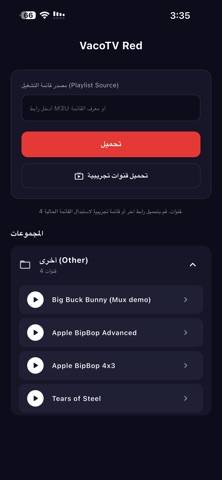
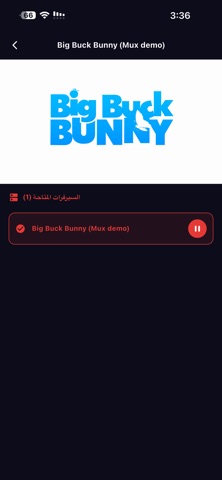
iPad screenshots


Icon palette
About this app
VacoTv Red هو مشغل قوائم تشغيل M3U قوي وخفيف الوزن، مصمم خصيصًا لأجهزة iOS. يوفر واجهة أنيقة وعصرية لتنظيم محتواك المفضل وبثه. سواءً كان بثًا تلفزيونيًا مباشرًا، أو أفلامًا، أو مسلسلات، يُسهّل VacoTv Red الاستمتاع بمحتواك أثناء التنقل. ميزات تطبيق VacoTv Red : - مشاركة المحتوى الخاص : VacoTv Red هو مشغل فيديو ولا يحتوي على أي محتوى مُحمّل مسبقًا. ما عليك سوى إضافة رابط قائمة تشغيل M3U الخاصة بك لبدء المشاهدة - تجربة مشاهدة بملء الشاشة: استمتع بتجربة مشاهدة غامرة مع دعم الوضع الأفقي وعناصر التحكم في الإخفاء التلقائي - تصميم بسيط وسهل الاستخدام: سهل الاستخدام يركز على المحتوى ملاحظات هامة : لا يوفر VacoTv Red أي محتوى للبث المباشر، ولا يستضيفه، ولا يربط به. لا نشجع بثّ المواد المحمية بحقوق الطبع والنشر دون إذن أصحابها . يجب على المستخدمين توفير محتواهم الخاص عبر روابط قوائم التشغيل M3U / M3U8 الموجودة على الإنترنت إخلاء مسؤولية : لا يستضيف التطبيق أي محتوى ولا يقوم بتخزين أو رفع…
App details
What you can learn from VacoTv Red
Every shipping app on the App Store has gone through the same decisions you're working through right now: which screenshot goes first, what caption sits over it, which device frame to show, what color the background should be. The 6 screenshots above are VacoTv Red's answers to those questions — they're public, they're real, and they made it through Apple's review.
What the numbers say: VacoTv Red runs a dark set with one background colour (#0C0C1C) carried across every screenshot — the listing reads as a single poster when the shots sit side by side in search results. The accent colour we picked up, #E43C34, is the one to reuse for badges, arrows and highlighted words if you borrow this look. Hit Use this style to open the editor with these exact colours and drop your own screenshot in.
Notice the first screenshot in particular. It's the one users see in search results and on the product page, and it's where most apps spend their best caption and tightest design. Look at the proportion of background to phone, where the text sits, what one thing the image is trying to communicate.
Want to see how other Utilities apps approach the same problem? Browse more Utilities apps in the showcase.
Take what works into your own screenshots
Open LaunchShots and design your App Store & Google Play screenshots — pick a device frame, drop captions, ship in minutes. Free, in your browser.
Open the screenshot editor →Apps with a similar look
Closest background + accent colours among the listings we've analysed — useful when you want to see the same palette handled by a different team.