Chart position — tracked daily by LaunchShots
Screenshot style breakdown
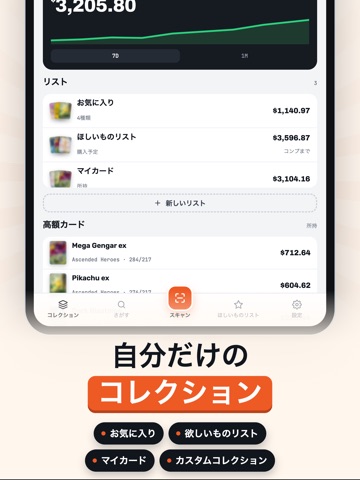
Sampled from 6 of トレカ相場スキャン - TCGems's App Store screenshots — background, accent and theme, measured by LaunchShots (not something Apple publishes).
#14141C bg
#34343B
#0C7C4C accent
#FFFFFF text
Reading the caption text from the screenshots in your browser…
Screenshots


iPad screenshots



Icon palette
About this app
TCG Card Value Scanner +でカードコレクションの真価を解き放ちましょう。カードの写真を撮るだけで、高度なOCR技術とローカルカードデータベースがカードを瞬時に識別します。TCGplayerやCardmarketからリアルタイムの市場価格を取得し、ノーマル、ホロ、リバースホロ、ファーストエディションなどのバリアントごとに価格を表示。低価格、中価格、高価格、市場平均などの詳細な価格情報で、カードの価値を常に把握できます。さらに、購入リンクも確認でき、賢い取引をサポートします。 AIチャット機能でコレクションに自信を。カードの歴史や市場動向など、気になることをすぐに質問して回答を得られます。スキャン履歴機能で過去の検索結果を簡単に管理し、いつでも参照可能です。 TCG Card Value Scanner +が選ばれる理由 — 数秒で撮影・識別:カードの写真を撮るだけで即座に識別と価格情報を取得。 — AIアシスタントとチャット:カードの詳細や市場動向について質問し、知見を深められます。 — 市場データを網羅:カードバリアント別の価格や市場価値を詳しく…
App details
What you can learn from トレカ相場スキャン - TCGems
Every shipping app on the App Store has gone through the same decisions you're working through right now: which screenshot goes first, what caption sits over it, which device frame to show, what color the background should be. The 18 screenshots above are トレカ相場スキャン - TCGems's answers to those questions — they're public, they're real, and they made it through Apple's review.
What the numbers say: トレカ相場スキャン - TCGems runs a mixed light-and-dark set where the background shifts from screenshot to screenshot (first shot #14141C) — each image has to stand on its own, so the captions carry more of the story. The accent colour we picked up, #0C7C4C, is the one to reuse for badges, arrows and highlighted words if you borrow this look. Hit Use this style to open the editor with these exact colours and drop your own screenshot in.
Notice the first screenshot in particular. It's the one users see in search results and on the product page, and it's where most apps spend their best caption and tightest design. Look at the proportion of background to phone, where the text sits, what one thing the image is trying to communicate.
Want to see how other Reference apps approach the same problem? Browse more Reference apps in the showcase.
Take what works into your own screenshots
Open LaunchShots and design your App Store & Google Play screenshots — pick a device frame, drop captions, ship in minutes. Free, in your browser.
Open the screenshot editor →Apps with a similar look
Closest background + accent colours among the listings we've analysed — useful when you want to see the same palette handled by a different team.