Chart position — tracked daily by LaunchShots
Screenshot changes — detected by LaunchShots
Screenshot style breakdown
Sampled from 6 of AXPA Planner's App Store screenshots — background, accent and theme, measured by LaunchShots (not something Apple publishes).
#448CFC bg
#5E9CFC
#2C445C accent
#FFFFFF text
Screenshots

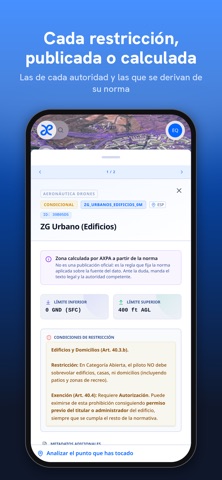

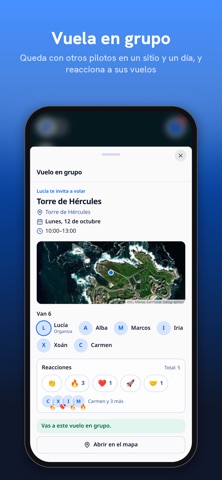
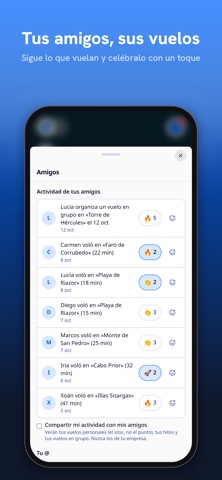
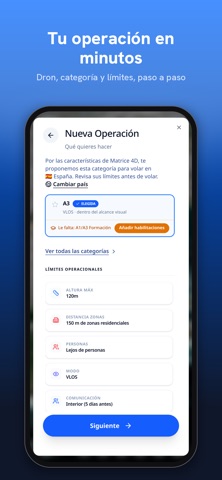
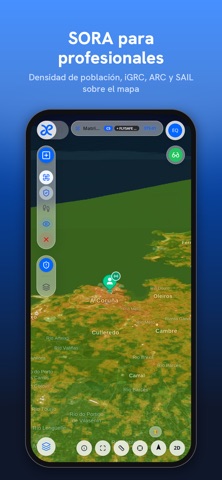


iPad screenshots


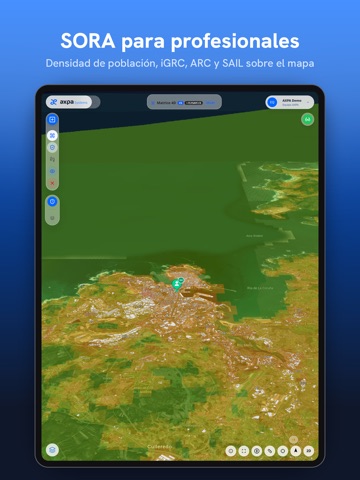
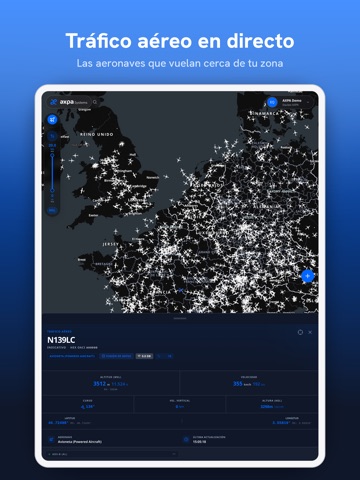


Icon palette
About this app
Llegas al sitio, sacas el dron y te asalta la duda de siempre: ¿aquí puedo volar? AXPA Planner responde a esa pregunta antes de que salgas de casa, y la responde para tu dron. Las zonas oficiales son solo el punto de partida: la mayor parte de lo que ves en el mapa no está en ninguna fuente oficial, porque lo calculamos nosotros. Es el caso de la cobertura móvil estimada, la calidad de la señal GNSS, el espacio aéreo en 3D sobre el relieve y, para las operaciones SORA, el riesgo en tierra. Todo en un solo mapa, junto a las zonas, sus horarios y la meteorología. ESPAÑA, PORTUGAL, ALEMANIA, FRANCIA, ANDORRA, SUIZA Y LIECHTENSTEIN AXPA Planner cubre los siete países, cada uno con su normativa. Una operación pegada a la frontera puede estar sujeta a dos países, y la aplicación te dice a cuáles en vez de dar uno por supuesto. LO QUE VES ANTES DE DESPEGAR · Las normas que se aplican a tu …
App details
What you can learn from AXPA Planner
Every shipping app on the App Store has gone through the same decisions you're working through right now: which screenshot goes first, what caption sits over it, which device frame to show, what color the background should be. The 20 screenshots above are AXPA Planner's answers to those questions — they're public, they're real, and they made it through Apple's review.
What the numbers say: AXPA Planner runs a dark set with one background colour (#448CFC) carried across every screenshot — the listing reads as a single poster when the shots sit side by side in search results. The accent colour we picked up, #2C445C, is the one to reuse for badges, arrows and highlighted words if you borrow this look. Hit Use this style to open the editor with these exact colours and drop your own screenshot in.
Notice the first screenshot in particular. It's the one users see in search results and on the product page, and it's where most apps spend their best caption and tightest design. Look at the proportion of background to phone, where the text sits, what one thing the image is trying to communicate.
Want to see how other Productivity apps approach the same problem? Browse more Productivity apps in the showcase.
Take what works into your own screenshots
Open LaunchShots and design your App Store & Google Play screenshots — pick a device frame, drop captions, ship in minutes. Free, in your browser.
Open the screenshot editor →Apps with a similar look
Closest background + accent colours among the listings we've analysed — useful when you want to see the same palette handled by a different team.