Screenshots

Icon palette
About this app
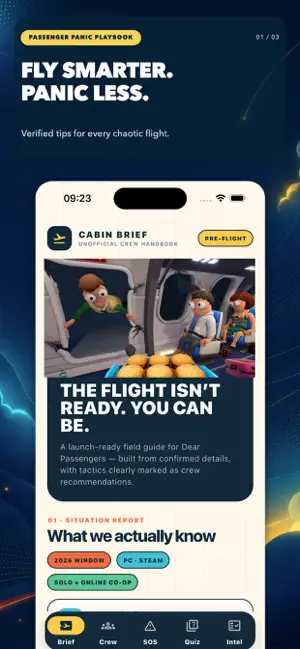
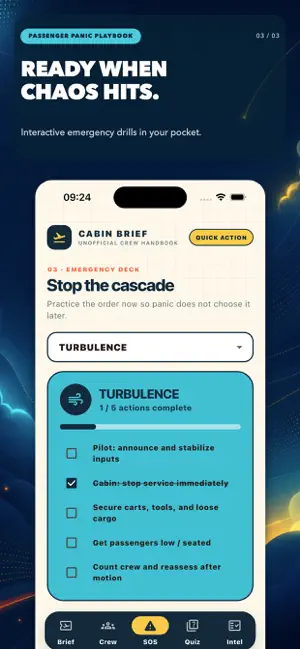
Prepare for turbulence with Passenger Panic Playbook Learn what is currently known about the game, prepare your crew, practice emergency responses, and test your knowledge before your first chaotic flight. - Your pre-flight companion Explore an easy-to-read briefing covering the game’s confirmed features, including online co-op, cabin responsibilities, risky cargo, dynamic weather, and physics-based chaos. - Build the perfect crew Discover practical strategies for different crew responsibilities: *Pilot *Cabin Lead *Fixer *Runner Learn how to divide tasks, communicate clearly, secure the cabin, and stop small problems from becoming complete disasters. Practice emergency procedures Use interactive checklists to prepare for: *Severe turbulence *Cabin fires *Loose cargo *Multiple emergencies happening at once *Complete every action and stabilize the cabin before the situation gets out o…
App details
What you can learn from Dear Passengers Panic Playbook
Every shipping app on the App Store has gone through the same decisions you're working through right now: which screenshot goes first, what caption sits over it, which device frame to show, what color the background should be. The 3 screenshots above are Dear Passengers Panic Playbook's answers to those questions — they're public, they're real, and they made it through Apple's review.
Notice the first screenshot in particular. It's the one users see in search results and on the product page, and it's where most apps spend their best caption and tightest design. Look at the proportion of background to phone, where the text sits, what one thing the image is trying to communicate.
Want to see how other Reference apps approach the same problem? Browse more Reference apps in the showcase.
Take what works into your own screenshots
Open LaunchShots and design your App Store & Google Play screenshots — pick a device frame, drop captions, ship in minutes. Free, in your browser.
Open the screenshot editor →