Screenshot style breakdown
Sampled from 5 of みんとーく|グループの相性診断's App Store screenshots — background, accent and theme, measured by LaunchShots (not something Apple publishes).
#FCF4F4 bg
#DDD6D6
#DC3C74 accent
#111111 text
Reading the caption text from the screenshots in your browser…
Screenshots
Icon palette
About this app
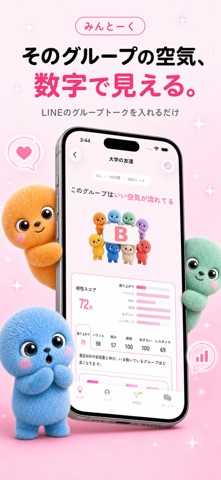
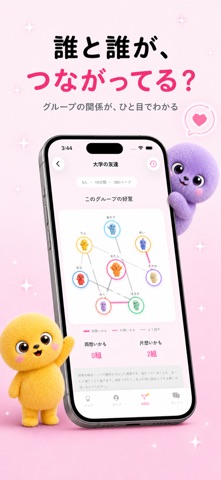
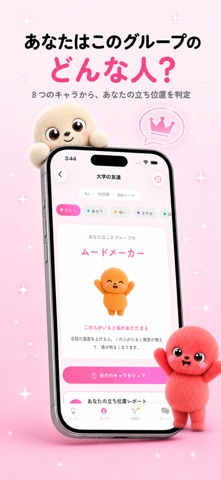
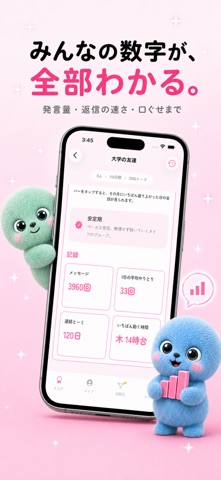
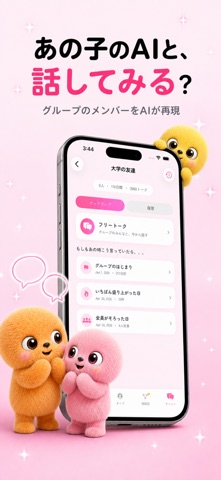
LINEのグループトークを入れるだけ。 そのグループの「空気」が、数字とキャラで見えるようになります。 ■ グループの相性をA〜Eで判定 盛り上がり・バランス・絡みの広さ・感情・ねぎらい・レスポンスの6軸で、グループ全体の相性を採点します。どの軸が効いているかも、その根拠の数字ごと見られます。 ■ あなたはこのグループのどんな人? ムードメーカー、仕切り役、聞き役、隠れ人気者など8つのキャラから、あなたの立ち位置を判定。そう判定した理由も、発言量や反応の速さといった数字で示します。 ■ 誰と誰がつながっている? メンバー同士の絡みを相関図に。よく話す組み合わせに加えて、好意のサインが出ているペアも線でわかります。 ■ みんなの数字が全部見える 発言数、平均文字数、質問率、絵文字率、反応の速さ、口ぐせまで。メンバーごとの棒グラフで比べられます。 ■ メンバーのAIと話せる グループにいる人をAIが再現。グループでの会話を覚えたまま、1対1でも話せます。「あのとき本当はどう思ってた?」を聞いてみてください。 ■ グループ…
App details
What you can learn from みんとーく|グループの相性診断
Every shipping app on the App Store has gone through the same decisions you're working through right now: which screenshot goes first, what caption sits over it, which device frame to show, what color the background should be. The 5 screenshots above are みんとーく|グループの相性診断's answers to those questions — they're public, they're real, and they made it through Apple's review.
What the numbers say: みんとーく|グループの相性診断 runs a light set with one background colour (#FCF4F4) carried across every screenshot — the listing reads as a single poster when the shots sit side by side in search results. The accent colour we picked up, #DC3C74, is the one to reuse for badges, arrows and highlighted words if you borrow this look. Hit Use this style to open the editor with these exact colours and drop your own screenshot in.
Notice the first screenshot in particular. It's the one users see in search results and on the product page, and it's where most apps spend their best caption and tightest design. Look at the proportion of background to phone, where the text sits, what one thing the image is trying to communicate.
Want to see how other Utilities apps approach the same problem? Browse more Utilities apps in the showcase.
Take what works into your own screenshots
Open LaunchShots and design your App Store & Google Play screenshots — pick a device frame, drop captions, ship in minutes. Free, in your browser.
Open the screenshot editor →Apps with a similar look
Closest background + accent colours among the listings we've analysed — useful when you want to see the same palette handled by a different team.