Screenshot changes — detected by LaunchShots
Screenshot style breakdown
Sampled from 5 of 拼完我服你 - 钻石画拼拼乐 消除达人's App Store screenshots — background, accent and theme, measured by LaunchShots (not something Apple publishes).
#B4B4F4 bg
#9E9ED6
#6C54AC accent
#111111 text
Reading the caption text from the screenshots in your browser…
Screenshots
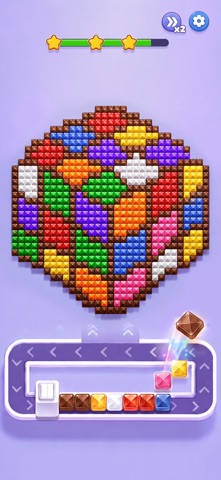
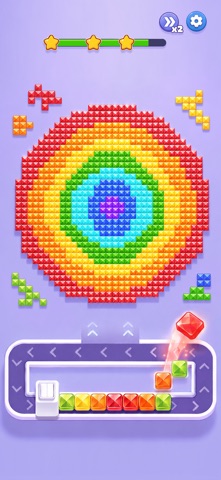

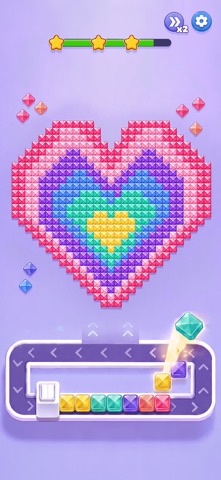
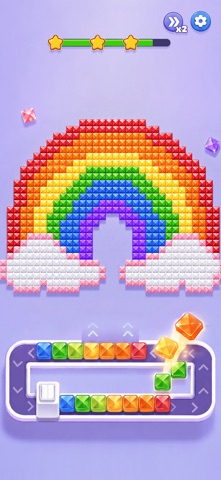
iPad screenshots


Icon palette
About this app
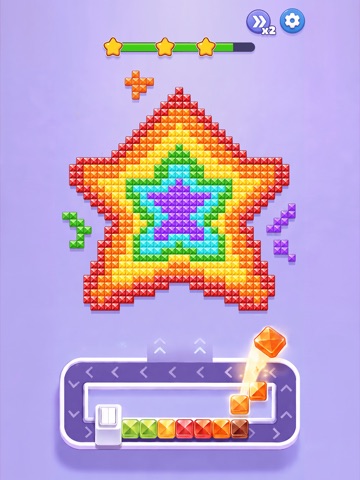
选对颜色,拼出惊喜!这幅宝石画,你能拼完整吗? 欢迎来到《拼完我服你》!从底部托盘或传送带上挑选宝石,填入画布中对应的位置,看零散的色块逐渐连成图案。从第一颗宝石到最后一格空白,亲手拼出一幅闪闪发光的像素画。 上手简单,拼好还得动点脑 先选哪种颜色?先填哪片区域?观察画布上的空位,搭配当前可用的宝石,安排好每一步。随着图案越来越丰富、细节越来越多,试着找到更顺畅的填色顺序,享受一步步解开拼图的乐趣。 一颗颗填满,越拼越满足 晶莹的宝石、明亮的配色,加上流畅的填充动画,让拼图过程也充满乐趣。补齐一片色块,发现一处细节,看画面慢慢清晰。直到最后一颗宝石归位,收获“终于拼好了”的成就感! 可爱图案,艺术主题,总有一幅想拼完 从俏皮可爱的造型到精致的艺术图案,探索不同配色与细节带来的惊喜。挑选喜欢的作品,在颜色搭配与拼图解谜中,发现下一幅让你眼前一亮的宝石画。 拼好的作品,当然值得收藏 把完成的作品收入个人画廊,随时翻看自己的得意之作。看收藏从几幅慢慢变得丰富,让每一次认真观察、巧妙安排,都留下闪亮…
App details
What you can learn from 拼完我服你 - 钻石画拼拼乐 消除达人
Every shipping app on the App Store has gone through the same decisions you're working through right now: which screenshot goes first, what caption sits over it, which device frame to show, what color the background should be. The 10 screenshots above are 拼完我服你 - 钻石画拼拼乐 消除达人's answers to those questions — they're public, they're real, and they made it through Apple's review.
What the numbers say: 拼完我服你 - 钻石画拼拼乐 消除达人 runs a light set with one background colour (#B4B4F4) carried across every screenshot — the listing reads as a single poster when the shots sit side by side in search results. The accent colour we picked up, #6C54AC, is the one to reuse for badges, arrows and highlighted words if you borrow this look. Hit Use this style to open the editor with these exact colours and drop your own screenshot in.
Notice the first screenshot in particular. It's the one users see in search results and on the product page, and it's where most apps spend their best caption and tightest design. Look at the proportion of background to phone, where the text sits, what one thing the image is trying to communicate.
Want to see how other Games apps approach the same problem? Browse more Games apps in the showcase.
Take what works into your own screenshots
Open LaunchShots and design your App Store & Google Play screenshots — pick a device frame, drop captions, ship in minutes. Free, in your browser.
Open the screenshot editor →Apps with a similar look
Closest background + accent colours among the listings we've analysed — useful when you want to see the same palette handled by a different team.