Chart position — tracked daily by LaunchShots
Screenshot style breakdown
Sampled from 3 of nook - 技術情報リーダー's App Store screenshots — background, accent and theme, measured by LaunchShots (not something Apple publishes).
#F4F4F4 bg
#D6D6D6
#3CB45C accent
#111111 text
Reading the caption text from the screenshots in your browser…
Screenshots
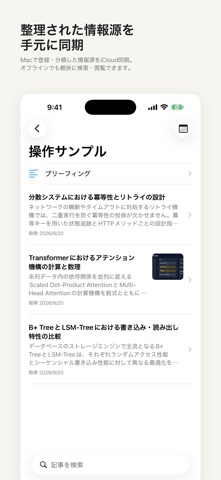


iPad screenshots


Icon palette
About this app
集めた技術記事や論文を、いつでも手元で静かに読む。 本アプリは、Mac版nookと組み合わせて利用する閲覧専用のリーダーアプリです。情報源の登録やフォルダ分類、AIによる記事の選別・要約などの処理はMac版で行われます。同期された記事やブリーフィングを手元のiPhoneやiPadで閲覧でき、移動中や隙間時間でも快適に読めます。 iCloud同期をご利用の際は、MacとiOS端末の両方で同じApple Accountにサインインしてください。データはお客様個人のiCloud領域(private database)を通じて安全に同期されます。専用アカウントの作成は不要です。 ■ 読みやすさに特化したリーダー体験 ・Markdown表示:見出し、箇条書き、表組み、インラインコード、引用ブロックをすっきりと読みやすいレイアウトで表示します。 ・LaTeX数式のネイティブ描画:論文や技術解説に含まれる数式を、にじみなく鮮明に描画します。 ・画像の拡大表示:タップやピンチ操作で図表やグラフを拡大し、アーキテクチャの細部まで確認できます。 ・動画の再生:記事に含まれるデモ動画や解説動画…
App details
What you can learn from nook - 技術情報リーダー
Every shipping app on the App Store has gone through the same decisions you're working through right now: which screenshot goes first, what caption sits over it, which device frame to show, what color the background should be. The 6 screenshots above are nook - 技術情報リーダー's answers to those questions — they're public, they're real, and they made it through Apple's review.
What the numbers say: nook - 技術情報リーダー runs a light set with one background colour (#F4F4F4) carried across every screenshot — the listing reads as a single poster when the shots sit side by side in search results. The accent colour we picked up, #3CB45C, is the one to reuse for badges, arrows and highlighted words if you borrow this look. Hit Use this style to open the editor with these exact colours and drop your own screenshot in.
Notice the first screenshot in particular. It's the one users see in search results and on the product page, and it's where most apps spend their best caption and tightest design. Look at the proportion of background to phone, where the text sits, what one thing the image is trying to communicate.
Want to see how other News apps approach the same problem? Browse more News apps in the showcase.
Take what works into your own screenshots
Open LaunchShots and design your App Store & Google Play screenshots — pick a device frame, drop captions, ship in minutes. Free, in your browser.
Open the screenshot editor →Apps with a similar look
Closest background + accent colours among the listings we've analysed — useful when you want to see the same palette handled by a different team.