Chart position — tracked daily by LaunchShots
Screenshot style breakdown
Sampled from 5 of Pidae's App Store screenshots — background, accent and theme, measured by LaunchShots (not something Apple publishes).
#141414 bg
#343434
#CC8C64 accent
#FFFFFF text
Screenshots



Icon palette
About this app
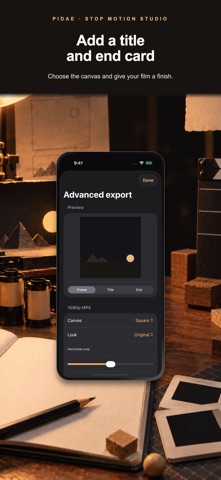
Make small things move with Pidae, a stop-motion studio for iPhone. Turn a paper cutout, a clay character or a tabletop scene into a short film. Capture one frame, move your subject a little, and capture the next. The onion-skin overlay keeps the previous shot visible so you can line up each movement. Shape the rhythm in the frame strip. Adjust how long each frame stays on screen, move frames into a different order, and undo or redo your edits. You can also bring a still image into the film through the iOS photo picker. Play the sequence back before you export. Choose an MP4 video or animated GIF, then send the finished file through the iOS share sheet. Advanced MP4 export adds framing, a film look, an opening title, an end card and an author credit, with a preview before you export. Keep several films in progress. The film library lets you reopen, rename and delete drafts, and the …
App details
What you can learn from Pidae
Every shipping app on the App Store has gone through the same decisions you're working through right now: which screenshot goes first, what caption sits over it, which device frame to show, what color the background should be. The 5 screenshots above are Pidae's answers to those questions — they're public, they're real, and they made it through Apple's review.
What the numbers say: Pidae runs a dark set with one background colour (#141414) carried across every screenshot — the listing reads as a single poster when the shots sit side by side in search results. The accent colour we picked up, #CC8C64, is the one to reuse for badges, arrows and highlighted words if you borrow this look. Hit Use this style to open the editor with these exact colours and drop your own screenshot in.
Notice the first screenshot in particular. It's the one users see in search results and on the product page, and it's where most apps spend their best caption and tightest design. Look at the proportion of background to phone, where the text sits, what one thing the image is trying to communicate.
Want to see how other Photo & Video apps approach the same problem? Browse more Photo & Video apps in the showcase.
Take what works into your own screenshots
Open LaunchShots and design your App Store & Google Play screenshots — pick a device frame, drop captions, ship in minutes. Free, in your browser.
Open the screenshot editor →Apps with a similar look
Closest background + accent colours among the listings we've analysed — useful when you want to see the same palette handled by a different team.