Chart position — tracked daily by LaunchShots
Screenshot style breakdown
Sampled from 6 of DCM's App Store screenshots — background, accent and theme, measured by LaunchShots (not something Apple publishes).
#FC743C bg
#DD6634
#FCBC8C accent
#111111 text
Screenshots




Icon palette
About this app
Ta aplikacja to wszechstronny towarzysz podróży, stworzony z myślą o osobach wyruszających w trasę samochodem, miłośnikach pieszych wędrówek oraz wszystkich pasjonatach podróżowania. Łączy w sobie funkcje planowania wyjazdów, szczegółowego monitorowania budżetu, zaawansowanej analizy finansowej oraz prowadzenia dziennika podróży. Dzięki niej masz pełną kontrolę nad swoimi wydatkami, jednocześnie uwieczniając niezapomniane widoki i chwile. Aplikacja sprawia, że każda wyprawa staje się bezstresowa, dobrze zorganizowana i pełna cennych wspomnień. 【Kluczowe funkcje】 Kompleksowe planowanie podróży: Określ cele wyjazdu, daty, liczbę towarzyszy oraz całkowity budżet. Aplikacja sprawdza się w różnych stylach podróżowania – od samodzielnych wypraw, przez samochodowe przygody, aż po wyjazdy grupowe. Szybkie rejestrowanie wydatków: Z łatwością ewidencjonuj koszty w kategoriach takich jak tran…
App details
What you can learn from DCM
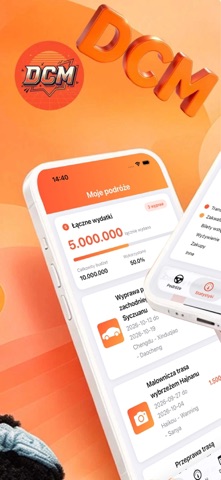
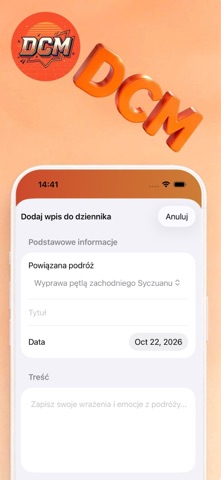
Every shipping app on the App Store has gone through the same decisions you're working through right now: which screenshot goes first, what caption sits over it, which device frame to show, what color the background should be. The 7 screenshots above are DCM's answers to those questions — they're public, they're real, and they made it through Apple's review.
What the numbers say: DCM runs a light set where the background shifts from screenshot to screenshot (first shot #FC743C) — each image has to stand on its own, so the captions carry more of the story. The accent colour we picked up, #FCBC8C, is the one to reuse for badges, arrows and highlighted words if you borrow this look. Hit Use this style to open the editor with these exact colours and drop your own screenshot in.
Notice the first screenshot in particular. It's the one users see in search results and on the product page, and it's where most apps spend their best caption and tightest design. Look at the proportion of background to phone, where the text sits, what one thing the image is trying to communicate.
Want to see how other Lifestyle apps approach the same problem? Browse more Lifestyle apps in the showcase.
Take what works into your own screenshots
Open LaunchShots and design your App Store & Google Play screenshots — pick a device frame, drop captions, ship in minutes. Free, in your browser.
Open the screenshot editor →Apps with a similar look
Closest background + accent colours among the listings we've analysed — useful when you want to see the same palette handled by a different team.