Screenshot style breakdown
Sampled from 3 of みまもるアプリ's App Store screenshots — background, accent and theme, measured by LaunchShots (not something Apple publishes).
#CC9C4C bg
#B38942
#549CD4 accent
#111111 text
Screenshots


Icon palette
About this app
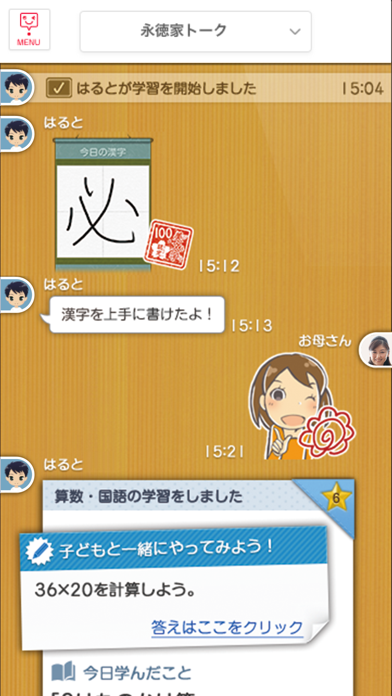
みまもるアプリは、「スマイルゼミ」のみまもるネットやみまもるトークをもっと便利に使える保護者向けの専用アプリです。 タブレットで学ぶ通信教育「スマイルゼミ」のすべてのコースでご利用いただけます。 ▼みまもるアプリでできること ・みまもるネットからお子さまの学習状況や結果を確認 ・みまもるトークでのコミュニケーション ◎アプリだけの限定スタンプも使えます! ◎メッセージが投稿されると、通知が届きます! ・学習や学校生活に役立つお知らせの確認 ・各種設定 ▼「みまもるトーク」とは スマイルゼミを利用中の方、およびそのご家族から招待された方であれば誰でも本アプリを使ってタイムラインに参加でき、お子さまに励ましのコメントを送ったり、一緒にチャレンジ問題に取り組んだり、文字/スタンプ/写真を投稿してみんなでおしゃべりしたりすることができます。 ※本アプリは、すべての iPhone ユーザの方に無料でお使いいただけます。 一部の会員向け機能は、スマイルゼミのアカウントでログインしてご利用ください。
App details
What you can learn from みまもるアプリ
Every shipping app on the App Store has gone through the same decisions you're working through right now: which screenshot goes first, what caption sits over it, which device frame to show, what color the background should be. The 3 screenshots above are みまもるアプリ's answers to those questions — they're public, they're real, and they made it through Apple's review.
What the numbers say: みまもるアプリ runs a light set where the background shifts from screenshot to screenshot (first shot #CC9C4C) — each image has to stand on its own, so the captions carry more of the story. The accent colour we picked up, #549CD4, is the one to reuse for badges, arrows and highlighted words if you borrow this look. Hit Use this style to open the editor with these exact colours and drop your own screenshot in.
Notice the first screenshot in particular. It's the one users see in search results and on the product page, and it's where most apps spend their best caption and tightest design. Look at the proportion of background to phone, where the text sits, what one thing the image is trying to communicate.
Want to see how other Education apps approach the same problem? Browse more Education apps in the showcase.
Take what works into your own screenshots
Open LaunchShots and design your App Store & Google Play screenshots — pick a device frame, drop captions, ship in minutes. Free, in your browser.
Open the screenshot editor →Apps with a similar look
Closest background + accent colours among the listings we've analysed — useful when you want to see the same palette handled by a different team.