Chart position — tracked daily by LaunchShots
Screenshot style breakdown
Sampled from 6 of 五粮液防伪's App Store screenshots — background, accent and theme, measured by LaunchShots (not something Apple publishes).
#2C2C34 bg
#494950
#BC946C accent
#FFFFFF text
Reading the caption text from the screenshots in your browser…
Screenshots



Icon palette
About this app
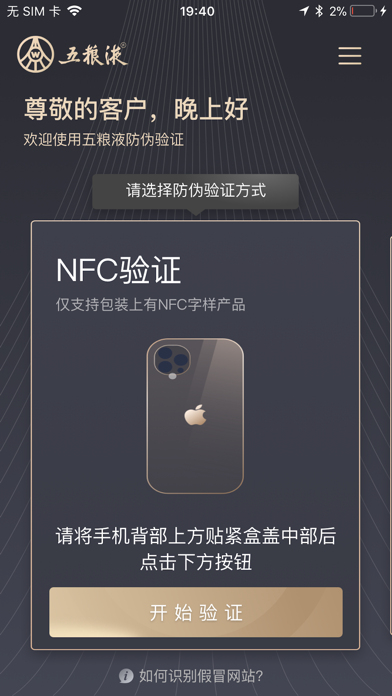
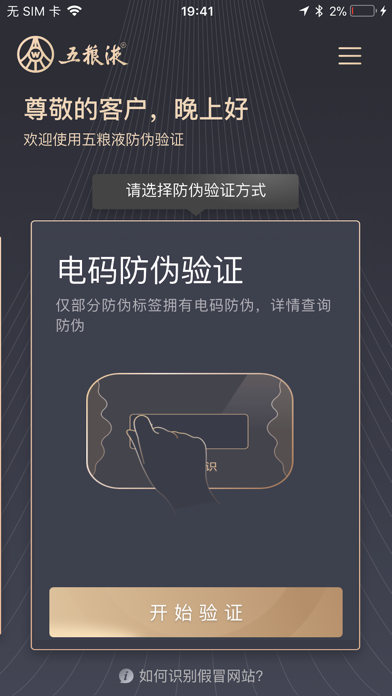
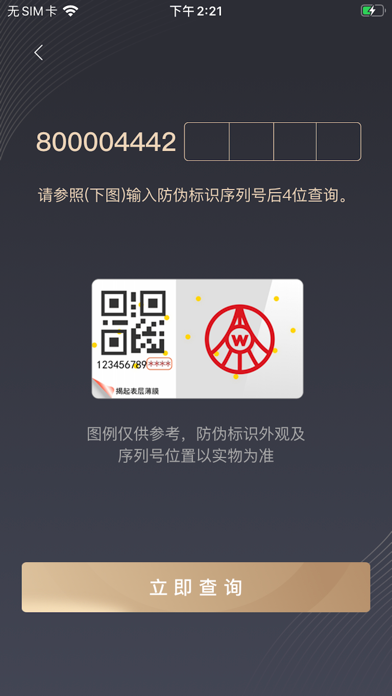
该应用是五粮液股份有限公司针对二维码使用产品开发的二维码溯源防伪软件,客户可以通过该软件扫描二维码连接到移动网络获取到产品的溯源信息,快捷方便,通过简单点击,即可迅速的得到查询结果,产品真假、生产信息一目了然,使消费者能安心购买,放心享受美酒醇香。 产品兼容iPhone系列产品,基于IOS11.0及以上版本。适用于终端消费者、经销商以及工商等执法部门。 温馨提示: 所有查询需要在WIFI或3G网络的支持下才能正常使用。 该产品联网产生的费用全部由运营商收取,不会额外产生任何费用。 功能介绍: 二维码查询:对带有二维码标签的五粮液产品,使用移动客户端摄像头进行读取联网查询。 电码查询:输入五粮液产品防伪标签上的刮刮码,即可迅速反馈产品真假。
App details
What you can learn from 五粮液防伪
Every shipping app on the App Store has gone through the same decisions you're working through right now: which screenshot goes first, what caption sits over it, which device frame to show, what color the background should be. The 7 screenshots above are 五粮液防伪's answers to those questions — they're public, they're real, and they made it through Apple's review.
What the numbers say: 五粮液防伪 runs a dark set where the background shifts from screenshot to screenshot (first shot #2C2C34) — each image has to stand on its own, so the captions carry more of the story. The accent colour we picked up, #BC946C, is the one to reuse for badges, arrows and highlighted words if you borrow this look. Hit Use this style to open the editor with these exact colours and drop your own screenshot in.
Notice the first screenshot in particular. It's the one users see in search results and on the product page, and it's where most apps spend their best caption and tightest design. Look at the proportion of background to phone, where the text sits, what one thing the image is trying to communicate.
Want to see how other Business apps approach the same problem? Browse more Business apps in the showcase.
Take what works into your own screenshots
Open LaunchShots and design your App Store & Google Play screenshots — pick a device frame, drop captions, ship in minutes. Free, in your browser.
Open the screenshot editor →Apps with a similar look
Closest background + accent colours among the listings we've analysed — useful when you want to see the same palette handled by a different team.