Screenshot style breakdown
Sampled from 6 of IPTV Streamer Pro's App Store screenshots — background, accent and theme, measured by LaunchShots (not something Apple publishes).
#040404 bg
#272727
#F4EC9C accent
#FFFFFF text
Screenshots


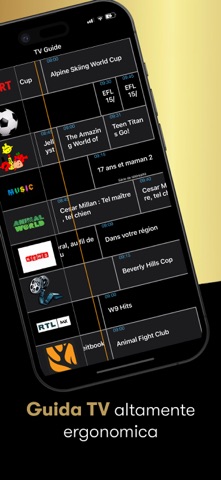
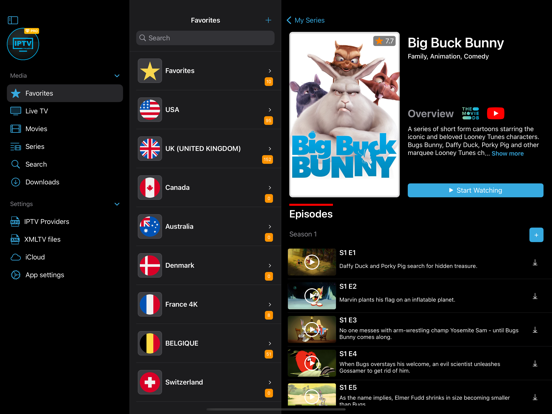
iPad screenshots




Icon palette
About this app
IPTV come piace a te! Interfaccia superba che vi permetterà di gestire le vostre playlist e i canali in modo molto intuitivo. Salvate i vostri canali preferiti in una playlist personale, in modo da non dover sfogliare costantemente la guida TV per trovarli. Il player avanzato ha anche alcuni dei menu più visivamente accattivanti che si possono vedere su una piattaforma IPTV. Il display a schermo è in grado di adattarsi correttamente a qualsiasi risoluzione, quindi non importa se avete un iPhone o un iPad. Caratteristiche: - Supporto di diversi protocolli (http, RTMP, ts ...) - Supporto EPG (Guida TV) - Supporto file M3U - L'utente può ora scaricare la sua playlist m3u8 da un URL o dal vostro Dropbox. - Aggiungere, modificare, cancellare, ordinare le playlist -Il canale può essere aggiunto, modificato, cancellato, ordinato, copiato o spostato manualmente in altre playlist. Informaz…
App details
What you can learn from IPTV Streamer Pro
Every shipping app on the App Store has gone through the same decisions you're working through right now: which screenshot goes first, what caption sits over it, which device frame to show, what color the background should be. The 15 screenshots above are IPTV Streamer Pro's answers to those questions — they're public, they're real, and they made it through Apple's review.
What the numbers say: IPTV Streamer Pro runs a dark set with one background colour (#040404) carried across every screenshot — the listing reads as a single poster when the shots sit side by side in search results. The accent colour we picked up, #F4EC9C, is the one to reuse for badges, arrows and highlighted words if you borrow this look. Hit Use this style to open the editor with these exact colours and drop your own screenshot in.
Notice the first screenshot in particular. It's the one users see in search results and on the product page, and it's where most apps spend their best caption and tightest design. Look at the proportion of background to phone, where the text sits, what one thing the image is trying to communicate.
Want to see how other Entertainment apps approach the same problem? Browse more Entertainment apps in the showcase.
Take what works into your own screenshots
Open LaunchShots and design your App Store & Google Play screenshots — pick a device frame, drop captions, ship in minutes. Free, in your browser.
Open the screenshot editor →Apps with a similar look
Closest background + accent colours among the listings we've analysed — useful when you want to see the same palette handled by a different team.