Chart position — tracked daily by LaunchShots
Screenshot changes — detected by LaunchShots
Screenshot style breakdown
Sampled from 5 of Доктис — врачи онлайн's App Store screenshots — background, accent and theme, measured by LaunchShots (not something Apple publishes).
#A48CFC bg
#907BDD
#E46CA4 accent
#111111 text
Screenshots




Icon palette
About this app
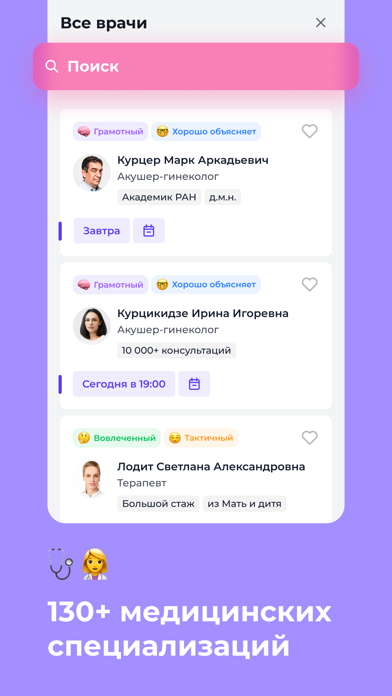
Доктис - онлайн-клиника для консультаций с врачами. Задайте вопрос врачу, обсудите симптомы, получите помощь с расшифровкой анализов или второе мнение по медицинскому заключению. Общайтесь так, как удобно вам: чат, звонок или видеосвязь. 2 ВАРИАНТА ОНЛАЙН-КОНСУЛЬТАЦИЙ: - по записи к профильному специалисту. - срочная консультация в любое время с дежурном врачом: терапевтом, гинекологом или педиатром. КОГДА ПРИГОДИТСЯ ДОКТИС: • Вопрос врачу. Если вы хотите спросить врача о симптомах, приеме лекарств или рекомендациях после обследования. • Расшифровка анализов. Специалист объяснит показатели с учетом ваших жалоб и медицинской истории, поможет понять результаты и подскажет, какие вопросы требуют дальнейшего обследования. • Второе мнение. Обсудите с другим специалистом поставленный диагноз, медицинское заключение или предложенный план лечения. • Забота о ребенке. Педиатр ответит на вопр…
App details
What you can learn from Доктис — врачи онлайн
Every shipping app on the App Store has gone through the same decisions you're working through right now: which screenshot goes first, what caption sits over it, which device frame to show, what color the background should be. The 5 screenshots above are Доктис — врачи онлайн's answers to those questions — they're public, they're real, and they made it through Apple's review.
What the numbers say: Доктис — врачи онлайн runs a light set with one background colour (#A48CFC) carried across every screenshot — the listing reads as a single poster when the shots sit side by side in search results. The accent colour we picked up, #E46CA4, is the one to reuse for badges, arrows and highlighted words if you borrow this look. Hit Use this style to open the editor with these exact colours and drop your own screenshot in.
Notice the first screenshot in particular. It's the one users see in search results and on the product page, and it's where most apps spend their best caption and tightest design. Look at the proportion of background to phone, where the text sits, what one thing the image is trying to communicate.
Want to see how other Medical apps approach the same problem? Browse more Medical apps in the showcase.
Take what works into your own screenshots
Open LaunchShots and design your App Store & Google Play screenshots — pick a device frame, drop captions, ship in minutes. Free, in your browser.
Open the screenshot editor →Apps with a similar look
Closest background + accent colours among the listings we've analysed — useful when you want to see the same palette handled by a different team.