Chart position — tracked daily by LaunchShots
Screenshot changes — detected by LaunchShots
Screenshot style breakdown
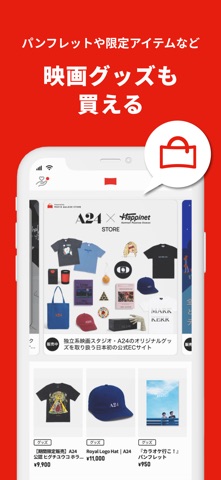
Sampled from 6 of 映画アプリ MOVIE WALKERで映画・映画館が探せる's App Store screenshots — background, accent and theme, measured by LaunchShots (not something Apple publishes).
#E41C0C bg
#E73B2E
#E47C74 accent
#FFFFFF text
Screenshots



Icon palette
About this app
ムビチケ購入から映画ログまで 【映画館鑑賞アプリ MOVIE WALKER(ムービーウォーカー)】 「みたい映画を見つける」「ムビチケを購入する」「エリア×日時で上映スケジュールを探す」「映画ログをつける」といった映画館鑑賞にまつわるアクションがこれ一つで完結。 映画グッズの購入など、映画館体験をより豊かにする機能を網羅しています。 映画館の"いま"がわかるMOVIE WALKERアプリで、もっと充実した映画館体験を。 ●期待度&興行ランキングで映画館ユーザーのトレンドがわかる トレンド、興行ランキング、ユーザーの映画ログなど、話題の作品が一目でわかります。「みたい」をつければ、気になる作品をワンタップでメモできます。 ●前売券も、公開中の鑑賞券も!ムビチケが買える唯一のアプリ 国内唯一、デジタル映画鑑賞券ムビチケ(オンライン&カード)を購入できるアプリです。 ●”いま行きたい”を叶える エリア×日時で上映スケジュールが探せる 日本全国3600スクリーン規模の上映スケジュールを随時更新。「今から」検索で、場所・時間に合った上映…
App details
What you can learn from 映画アプリ MOVIE WALKERで映画・映画館が探せる
Every shipping app on the App Store has gone through the same decisions you're working through right now: which screenshot goes first, what caption sits over it, which device frame to show, what color the background should be. The 8 screenshots above are 映画アプリ MOVIE WALKERで映画・映画館が探せる's answers to those questions — they're public, they're real, and they made it through Apple's review.
What the numbers say: 映画アプリ MOVIE WALKERで映画・映画館が探せる runs a dark set with one background colour (#E41C0C) carried across every screenshot — the listing reads as a single poster when the shots sit side by side in search results. The accent colour we picked up, #E47C74, is the one to reuse for badges, arrows and highlighted words if you borrow this look. Hit Use this style to open the editor with these exact colours and drop your own screenshot in.
Notice the first screenshot in particular. It's the one users see in search results and on the product page, and it's where most apps spend their best caption and tightest design. Look at the proportion of background to phone, where the text sits, what one thing the image is trying to communicate.
Want to see how other Entertainment apps approach the same problem? Browse more Entertainment apps in the showcase.
Take what works into your own screenshots
Open LaunchShots and design your App Store & Google Play screenshots — pick a device frame, drop captions, ship in minutes. Free, in your browser.
Open the screenshot editor →Apps with a similar look
Closest background + accent colours among the listings we've analysed — useful when you want to see the same palette handled by a different team.