Chart position — tracked daily by LaunchShots
Screenshot style breakdown
Sampled from 4 of swa Mobil's App Store screenshots — background, accent and theme, measured by LaunchShots (not something Apple publishes).
#049CE4 bg
#27A9E7
#F4CC04 accent
#FFFFFF text
Screenshots

Icon palette
About this app
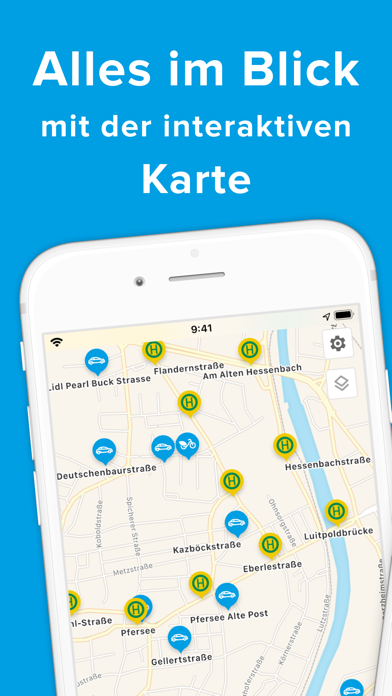
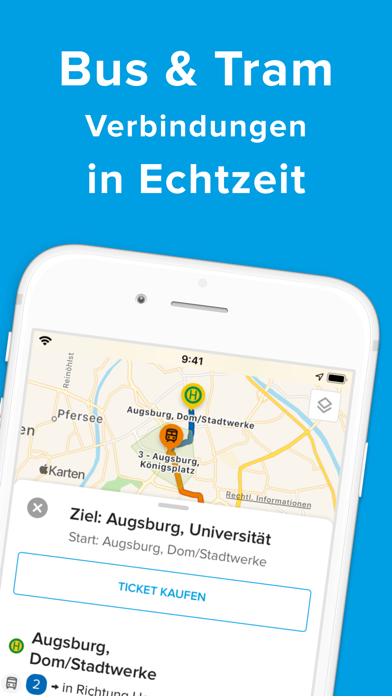
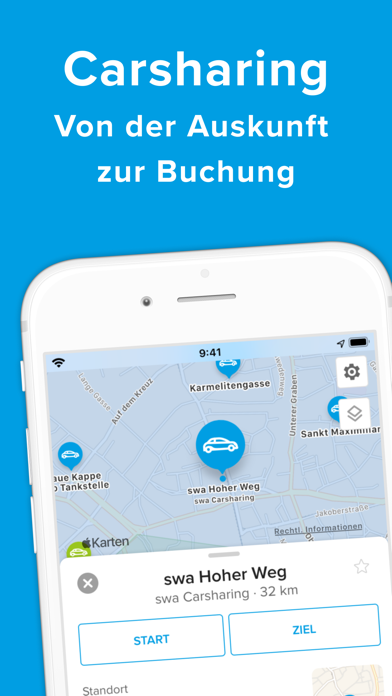
Ob mit Bus, Straßenbahn, einem der zahlreichen Carsharing-Autos oder spontan mit dem Rad: mit „swa Mobil“ bist du in Augsburg und Umgebung flexibel unterwegs. Unser Mobilitätsangebot bringt dich einfach und ganz nach deinen Vorlieben ans Ziel. Natürlich in Echtzeit und mit dem passenden Ticket für deine Fahrt! Bus & Tram: Verbindungen und Tickets Von der klassischen Verbindungsauskunft mit Echtzeitdaten über die Abfahrtsinformation einer Haltestelle bis hin zum digitalen Ticket. swa Carsharing Alle Standorte, alle Fahrzeuge: mit unserem Carsharing-Angebot findest du immer das passende Auto für deinen Zweck. Ob Transporter, Mittelklasse- oder Kleinwagen, wir zeigen dir schnell und einfach alle verfügbaren Fahrzeuge auf einen Blick. swa Rad Nicht nur im Sommer die perfekte Ergänzung für deine Mobilität: An unseren swa Rad-Stationen findest du immer den idealen Begleiter für die letzten…
App details
What you can learn from swa Mobil
Every shipping app on the App Store has gone through the same decisions you're working through right now: which screenshot goes first, what caption sits over it, which device frame to show, what color the background should be. The 4 screenshots above are swa Mobil's answers to those questions — they're public, they're real, and they made it through Apple's review.
What the numbers say: swa Mobil runs a dark set with one background colour (#049CE4) carried across every screenshot — the listing reads as a single poster when the shots sit side by side in search results. The accent colour we picked up, #F4CC04, is the one to reuse for badges, arrows and highlighted words if you borrow this look. Hit Use this style to open the editor with these exact colours and drop your own screenshot in.
Notice the first screenshot in particular. It's the one users see in search results and on the product page, and it's where most apps spend their best caption and tightest design. Look at the proportion of background to phone, where the text sits, what one thing the image is trying to communicate.
Want to see how other Navigation apps approach the same problem? Browse more Navigation apps in the showcase.
Take what works into your own screenshots
Open LaunchShots and design your App Store & Google Play screenshots — pick a device frame, drop captions, ship in minutes. Free, in your browser.
Open the screenshot editor →Apps with a similar look
Closest background + accent colours among the listings we've analysed — useful when you want to see the same palette handled by a different team.