Chart position — tracked daily by LaunchShots
Screenshot changes — detected by LaunchShots
Screenshot style breakdown
Sampled from 6 of SkyJoy's App Store screenshots — background, accent and theme, measured by LaunchShots (not something Apple publishes).
#FCFCEC bg
#DDDDCF
#FC3C3C accent
#111111 text
Reading the caption text from the screenshots in your browser…
Screenshots
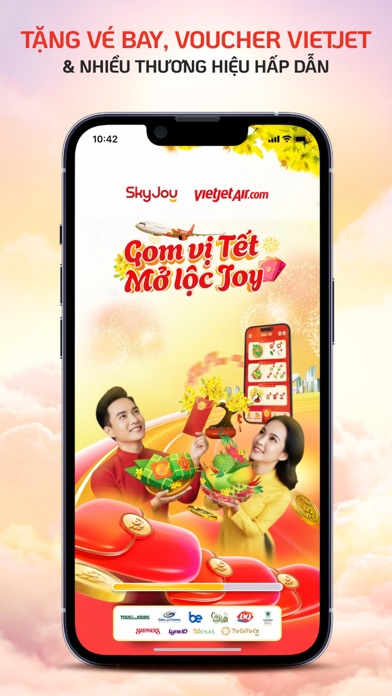


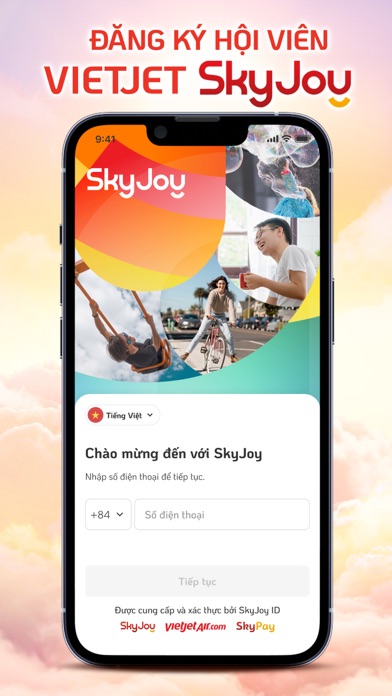


iPad screenshots


Icon palette
About this app
Chương trình Khách hàng thân thiết Vietjet SkyJoy được phát triển và vận hành bởi Công Ty Cổ Phần GalaxyJoy. Vietjet SkyJoy được truyền cảm hứng để trở thành nền tảng tích điểm hàng không phong cách sống tại Việt Nam và nền tảng tích lũy điểm thưởng liên kết đa chiều trên thế giới. Để mang đến cho khách hàng những trải nghiệm tuyệt vời nhất, Vietjet SkyJoy liên tục giới thiệu các đặc quyền không thể tìm thấy trên bất kỳ chương trình Khách hàng thân thiết nào khác. Nổi bật trong đó là đặc quyền đăng ký tài khoản Hội viên Vietjet SkyJoy, nhận ngay điểm SkyPoint từ các chuyến Vietjet đã bay từ 24/12/2022. Đặc biệt, nhận ngay 200 SkyPoint khi hoàn thành tải ứng dụng SkyJoy và đăng ký tài khoản. Tận hưởng hành trình đổi thưởng hấp dẫn từ vé máy bay Vietjet đến voucher của hơn 250 thương hiệu được yêu thích tại Việt Nam. Tải app và đăng ký Hội viên Vietjet SkyJoy - Trải nghiệm phong cách…
App details
What you can learn from SkyJoy
Every shipping app on the App Store has gone through the same decisions you're working through right now: which screenshot goes first, what caption sits over it, which device frame to show, what color the background should be. The 12 screenshots above are SkyJoy's answers to those questions — they're public, they're real, and they made it through Apple's review.
What the numbers say: SkyJoy runs a light set with one background colour (#FCFCEC) carried across every screenshot — the listing reads as a single poster when the shots sit side by side in search results. The accent colour we picked up, #FC3C3C, is the one to reuse for badges, arrows and highlighted words if you borrow this look. Hit Use this style to open the editor with these exact colours and drop your own screenshot in.
Notice the first screenshot in particular. It's the one users see in search results and on the product page, and it's where most apps spend their best caption and tightest design. Look at the proportion of background to phone, where the text sits, what one thing the image is trying to communicate.
Want to see how other Shopping apps approach the same problem? Browse more Shopping apps in the showcase.
Take what works into your own screenshots
Open LaunchShots and design your App Store & Google Play screenshots — pick a device frame, drop captions, ship in minutes. Free, in your browser.
Open the screenshot editor →Apps with a similar look
Closest background + accent colours among the listings we've analysed — useful when you want to see the same palette handled by a different team.