Screenshot style breakdown
Sampled from 4 of NAVSEG's App Store screenshots — background, accent and theme, measured by LaunchShots (not something Apple publishes).
#FCFCFC bg
#DDDDDD
#042C9C accent
#111111 text
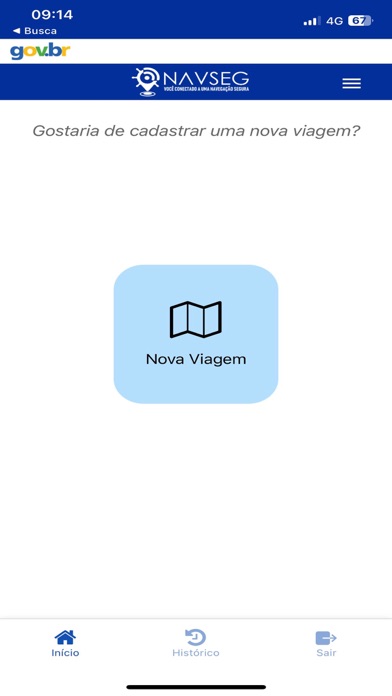
- #1< Busca Gostaria de cadastrar uma nova viagem?
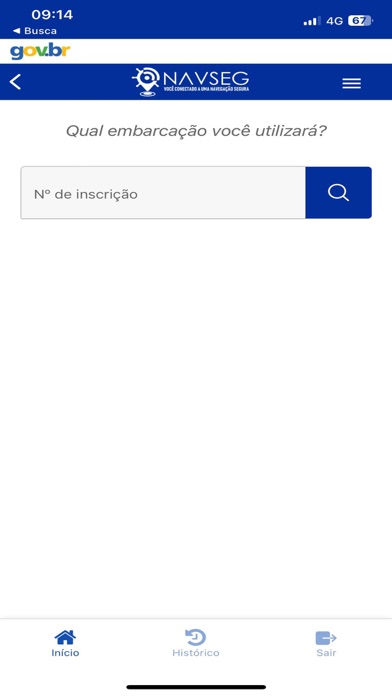
- #2< Busca Qual embarcação você utilizará?
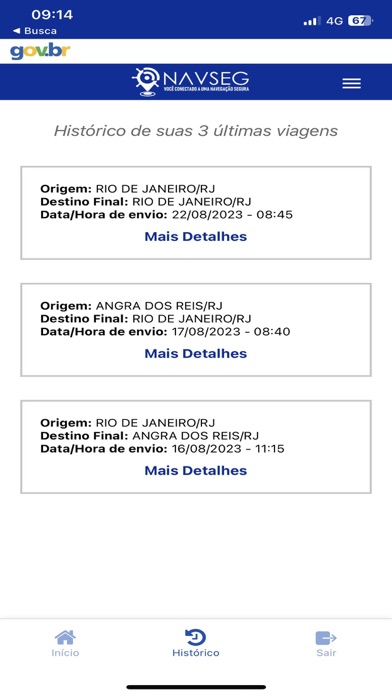
- #3< Busca Histórico de suas 3 últimas viagens Origem: RIO DE JANEIRO/RJ
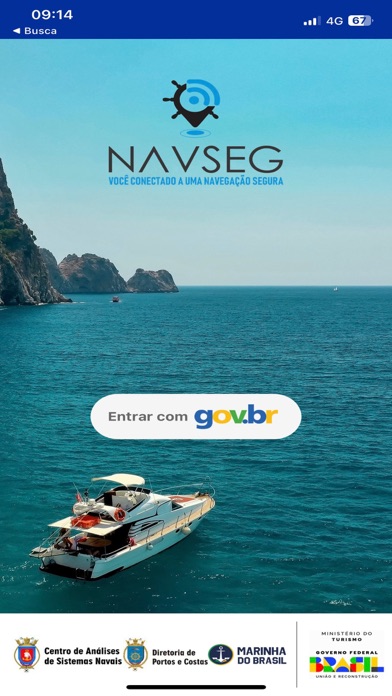
- #4DO) = VOCÊ CONECTADO A UMA NAVEGAÇÃO SEGURA
Captions read from the screenshots (OCR, may contain small errors): 4 headlines, 8.5 words on average (longest 12).
Screenshots
Icon palette
About this app
Por meio do Aplicativo NAVSEG, o Comandante da Embarcação brasileira poderá informar seu plano de viagem (Aviso de saída), o que possibilitará o acompanhamento pelas marinas, clubes náuticos, Capitanias, Delegacias e Agências (CDA). Para isso, é necessário que o comandante da embarcação habilite a localização do GPS de seu dispositivo móvel (smartphone ou tablet) e autorize a transmissão dessas informações para a Marinha do Brasil, o que poderá ser realizado no próprio aplicativo NAVSEG. A posição da embarcação será transmitida a cada 30 minutos, devendo o comandante navegar próximo da costa, o suficiente para que o sinal do dispositivo esteja ao alcance da operadora de telefonia contratada. O maior propósito é a preservação da vida humana no mar, caso ocorra algum problema com as embarcações navegando na navegação interior ou na costa brasileira.
App details
What you can learn from NAVSEG
Every shipping app on the App Store has gone through the same decisions you're working through right now: which screenshot goes first, what caption sits over it, which device frame to show, what color the background should be. The 4 screenshots above are NAVSEG's answers to those questions — they're public, they're real, and they made it through Apple's review.
What the numbers say: NAVSEG runs a light set with one background colour (#FCFCFC) carried across every screenshot — the listing reads as a single poster when the shots sit side by side in search results. The accent colour we picked up, #042C9C, is the one to reuse for badges, arrows and highlighted words if you borrow this look. Hit Use this style to open the editor with these exact colours and drop your own screenshot in.
Notice the first screenshot in particular. It's the one users see in search results and on the product page, and it's where most apps spend their best caption and tightest design. Look at the proportion of background to phone, where the text sits, what one thing the image is trying to communicate.
Want to see how other Navigation apps approach the same problem? Browse more Navigation apps in the showcase.
Take what works into your own screenshots
Open LaunchShots and design your App Store & Google Play screenshots — pick a device frame, drop captions, ship in minutes. Free, in your browser.
Open the screenshot editor →Apps with a similar look
Closest background + accent colours among the listings we've analysed — useful when you want to see the same palette handled by a different team.