Chart position — tracked daily by LaunchShots
Screenshot style breakdown
Sampled from 4 of HiFun嗨翻 - 全球华人专属语音派对&分享兴趣爱好's App Store screenshots — background, accent and theme, measured by LaunchShots (not something Apple publishes).
#FCDC24 bg
#DDC11F
#FCEC84 accent
#111111 text
Reading the caption text from the screenshots in your browser…
Screenshots


Icon palette
About this app
HiFun 是一款为全球华人设计的专属语音派对平台,旨在打造一个高质量的交流社区。无论你是留学生、职场华人还是海外华人新移民,在这里都可以找到来自同地区、兴趣相投的朋友。 如果你圈子小而难以结识新朋友,不妨试试看 HiFun 吧!在这里,你可以认识许多有趣、活泼、热情的华人小伙伴,享受丰富多样的互动玩法。 我们主打: •专属语音互动:打造专属空间,分享你的心情与故事 •分享兴趣爱好:探索彼此,共同发现生活的美好 •多人语音派对房:结识好友,畅聊生活与兴趣爱好 •贴心安全护航:违规行为零容忍,24小时贴心护航 我们致力于打造一个温暖、真实、有趣的互动平台,持续上线丰富的玩法,让每一位用户都能找到属于自己的快乐时光! 快来下载 HiFun,开启你的线上派对之旅吧! 【VIP 会员服务说明】 升级为 VIP 用户,尊享更多高阶体验: 1. 解锁更多好友,尽情畅聊 2. 每日赠送语音互动时长 3. 每月自动发放 300 金币 4. 拥有专属尊贵标识 5. 优先展示推荐,提升曝光率 VIP 会员当前订购价低至 $0.99 /周起,不同地区单价可能会不同。如果选择购买 VIP 会员…
App details
What you can learn from HiFun嗨翻 - 全球华人专属语音派对&分享兴趣爱好
Every shipping app on the App Store has gone through the same decisions you're working through right now: which screenshot goes first, what caption sits over it, which device frame to show, what color the background should be. The 4 screenshots above are HiFun嗨翻 - 全球华人专属语音派对&分享兴趣爱好's answers to those questions — they're public, they're real, and they made it through Apple's review.
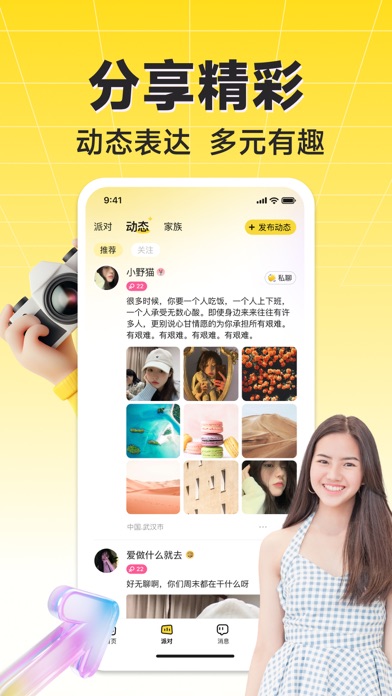
What the numbers say: HiFun嗨翻 - 全球华人专属语音派对&分享兴趣爱好 runs a light set where the background shifts from screenshot to screenshot (first shot #FCDC24) — each image has to stand on its own, so the captions carry more of the story. The accent colour we picked up, #FCEC84, is the one to reuse for badges, arrows and highlighted words if you borrow this look. Hit Use this style to open the editor with these exact colours and drop your own screenshot in.
Notice the first screenshot in particular. It's the one users see in search results and on the product page, and it's where most apps spend their best caption and tightest design. Look at the proportion of background to phone, where the text sits, what one thing the image is trying to communicate.
Want to see how other Social Networking apps approach the same problem? Browse more Social Networking apps in the showcase.
Take what works into your own screenshots
Open LaunchShots and design your App Store & Google Play screenshots — pick a device frame, drop captions, ship in minutes. Free, in your browser.
Open the screenshot editor →Apps with a similar look
Closest background + accent colours among the listings we've analysed — useful when you want to see the same palette handled by a different team.