Screenshot style breakdown
Sampled from 6 of Gravity.'s App Store screenshots — background, accent and theme, measured by LaunchShots (not something Apple publishes).
#042C5C bg
#274972
#84D4FC accent
#FFFFFF text
Reading the caption text from the screenshots in your browser…
Screenshots
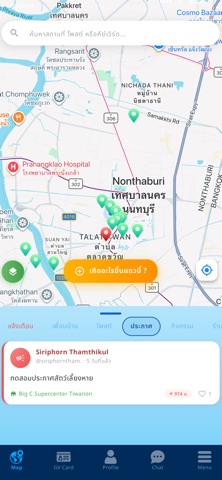
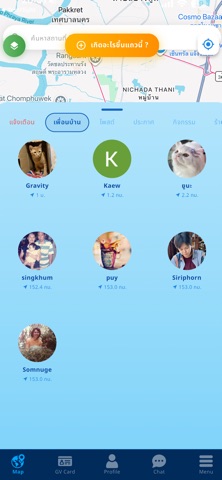
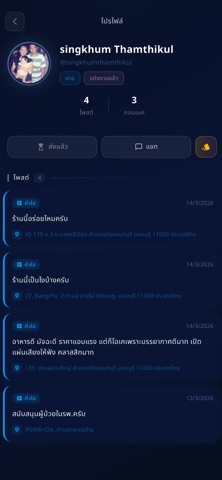

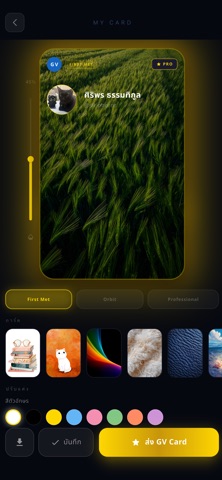
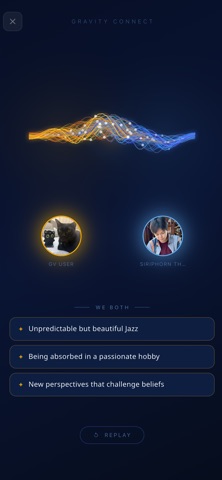
iPad screenshots


Icon palette
About this app
Gravity คือแอปที่เชื่อมต่อคนในละแวกเดียวกันแบบ real-time ผ่านแผนที่จริง โพสต์เรื่องราวในรัศมี 2 กม. รอบตัวคุณ แต่เห็นเรื่องราวได้ทั่วโลก ไม่ว่าจะเป็นคน/สัตว์หาย แจ้งข่าวสารในชุมชน ข้อมูลทุกอย่างอิงพิกัดจริง คนที่อยู่แถวนั้นจะเห็นทันที ไม่ถูกฟีดกลบ ไม่ต้องรอให้ใครแชร์มาให้เห็น Gravity connects the people around you, in real time, on a real map. Post within 2 km of where you are — a missing person, a lost pet, a flooded road, anything your neighbourhood needs to know. Everyone nearby sees it straight away. Nothing is ranked, buried, or held back until someone shares it. No algorithm decides who sees what. If it happened near you, it's on your map. You can look anywhere in the world. But you can only post where you actually are — which is what makes what you see here true.
App details
What you can learn from Gravity.
Every shipping app on the App Store has gone through the same decisions you're working through right now: which screenshot goes first, what caption sits over it, which device frame to show, what color the background should be. The 12 screenshots above are Gravity.'s answers to those questions — they're public, they're real, and they made it through Apple's review.
What the numbers say: Gravity. runs a dark set where the background shifts from screenshot to screenshot (first shot #042C5C) — each image has to stand on its own, so the captions carry more of the story. The accent colour we picked up, #84D4FC, is the one to reuse for badges, arrows and highlighted words if you borrow this look. Hit Use this style to open the editor with these exact colours and drop your own screenshot in.
Notice the first screenshot in particular. It's the one users see in search results and on the product page, and it's where most apps spend their best caption and tightest design. Look at the proportion of background to phone, where the text sits, what one thing the image is trying to communicate.
Want to see how other Social Networking apps approach the same problem? Browse more Social Networking apps in the showcase.
Take what works into your own screenshots
Open LaunchShots and design your App Store & Google Play screenshots — pick a device frame, drop captions, ship in minutes. Free, in your browser.
Open the screenshot editor →Apps with a similar look
Closest background + accent colours among the listings we've analysed — useful when you want to see the same palette handled by a different team.