Chart position — tracked daily by LaunchShots
Screenshot style breakdown
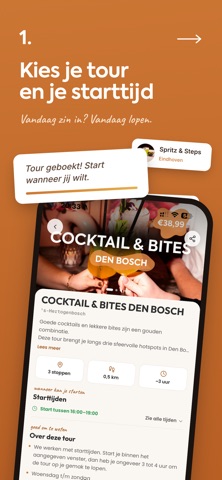
Sampled from 6 of Sips & Steps's App Store screenshots — background, accent and theme, measured by LaunchShots (not something Apple publishes).
#CC7434 bg
#D38750
#FCC494 accent
#FFFFFF text
Screenshots



Icon palette
About this app
Ontdek je stad lopend, happend en drinkend. Sips & Steps stippelt culinaire wandeltours uit langs de leukste plekken van Nederlandse steden. Jij loopt op je eigen tempo van hotspot naar hotspot en geniet bij elke stop van een Sip en/of Snack. Geen gids, geen vaste tijden, geen gedoe. ZO WERKT HET Kies een stad en boek je tour. Elke stad heeft meerdere routes met een eigen thema. De kaart leidt je van stop naar stop. Zin in iets anders? Kies een andere hotspot in de buurt. Laat bij elke stop je QR-code scannen en haal je Sip en/of Snack op. Je betaalt vooraf voor je tour. Onderweg reken je niets meer af. HANDIG OM TE WETEN Elke gang kost stempels uit je saldo. Hoeveel dat er zijn zie je vooraf per plek Pauzeer je tour en pak hem later weer op Stempels die je overhoudt blijven staan en gebruik je een andere keer Eén persoon kan voor de hele groep boeken. Alle stempels op één kaart, …
App details
What you can learn from Sips & Steps
Every shipping app on the App Store has gone through the same decisions you're working through right now: which screenshot goes first, what caption sits over it, which device frame to show, what color the background should be. The 6 screenshots above are Sips & Steps's answers to those questions — they're public, they're real, and they made it through Apple's review.
What the numbers say: Sips & Steps runs a dark set with one background colour (#CC7434) carried across every screenshot — the listing reads as a single poster when the shots sit side by side in search results. The accent colour we picked up, #FCC494, is the one to reuse for badges, arrows and highlighted words if you borrow this look. Hit Use this style to open the editor with these exact colours and drop your own screenshot in.
Notice the first screenshot in particular. It's the one users see in search results and on the product page, and it's where most apps spend their best caption and tightest design. Look at the proportion of background to phone, where the text sits, what one thing the image is trying to communicate.
Want to see how other Food & Drink apps approach the same problem? Browse more Food & Drink apps in the showcase.
Take what works into your own screenshots
Open LaunchShots and design your App Store & Google Play screenshots — pick a device frame, drop captions, ship in minutes. Free, in your browser.
Open the screenshot editor →Apps with a similar look
Closest background + accent colours among the listings we've analysed — useful when you want to see the same palette handled by a different team.